GEAR GUIDE • DISPLAY
Best TV for GTA 6: 4K HDR Gaming Guide
GTA 6 is going to be the most visually stunning game Rockstar has ever made. The trailers have shown a Vice City drenched in golden-hour sunlight, neon-lit nightclubs, palm-fringed beaches, dense Everglades swampland, and the kind of atmospheric detail that makes a virtual world feel indistinguishable from reality. But here’s the thing — if you’re playing on a mediocre TV, you’re leaving half the experience on the table. GTA 6 on PS5 and Xbox Series X/S will output in 4K resolution with HDR support, and the visual difference between a cheap LED panel and a proper OLED is night and day. This guide breaks down everything you need to know to pick the perfect TV for November 19, 2026 — what specs matter, what panel technology is best, and which specific models we recommend at every budget.
OLED vs QLED vs LED: What’s the Difference?
Before we get into specific models, let’s clear up the panel technology confusion. This is the single most important decision you’ll make, and the marketing terms don’t make it easy.
OLED (Organic LED)
OLED is the gold standard for image quality, and for GTA 6, it’s the technology we recommend most strongly. Unlike traditional LED TVs that use a backlight, each individual pixel in an OLED TV produces its own light. This means pixels can turn off completely for true, absolute black — no light bleed, no gray fog in dark scenes, no “clouding” in the corners. The result is infinite contrast ratio: the brightest highlights and the darkest shadows can exist side by side on the same frame with stunning accuracy.
For GTA 6’s Vice City — a city defined by its neon-soaked nightlife, deep ocean shadows, and atmospheric night-to-dawn transitions — OLED is transformative. Those neon signs on Ocean Drive will glow against true-black backgrounds. The interior of a nightclub will have genuine depth, not a washed-out gray murk. HDR content looks spectacular on OLED because the contrast range is so wide. The other advantage: OLED panels have near-instant pixel response times (around 0.1ms), which means virtually no motion blur during fast camera pans or high-speed driving sequences. The trade-off? OLEDs historically couldn’t get as bright as LED-backlit sets, though 2024–2025 models have narrowed this gap significantly. OLED is also more expensive. But for a game like GTA 6, it’s worth every penny.
QLED (Quantum Dot LED)
QLED is an LED-backlit LCD TV that uses a “quantum dot” film layer to dramatically improve color accuracy and brightness. Samsung is the biggest QLED proponent. QLED TVs can get significantly brighter than OLEDs — often exceeding 2,000+ nits on high-end models — making them better for bright, sunlit rooms where OLED’s lower peak brightness can be a disadvantage. QLEDs also don’t have any burn-in risk (more on that below). However, because they still use a backlight (even with local dimming zones), they can’t achieve true black the way OLED can. Dark scenes will always have some level of grayish bloom.
Mini-LED (QLED with Mini-LED Backlight)
This is the bridge between QLED and OLED. Mini-LED TVs replace traditional LED backlights with thousands of tiny mini-LEDs, allowing for hundreds or even thousands of local dimming zones. This dramatically improves black levels and contrast compared to standard QLED while retaining the brightness advantage. High-end Mini-LEDs like the TCL QM7K and QM8 series offer impressive performance that gets surprisingly close to OLED at a lower price point.
Standard LED/LCD
The budget option. Standard LED TVs use edge-lighting or basic backlighting with no quantum dots and minimal dimming zones. They’re fine for casual viewing but lack the contrast, color accuracy, and HDR performance for a game like GTA 6. We’d only recommend these if budget is extremely tight. Even the cheapest TV on our list uses Mini-LED technology.
Gaming Specs That Actually Matter for GTA 6
TV manufacturers love throwing spec sheets at you. Here are the ones that genuinely make a difference for console gaming, and why they matter for GTA 6 specifically.
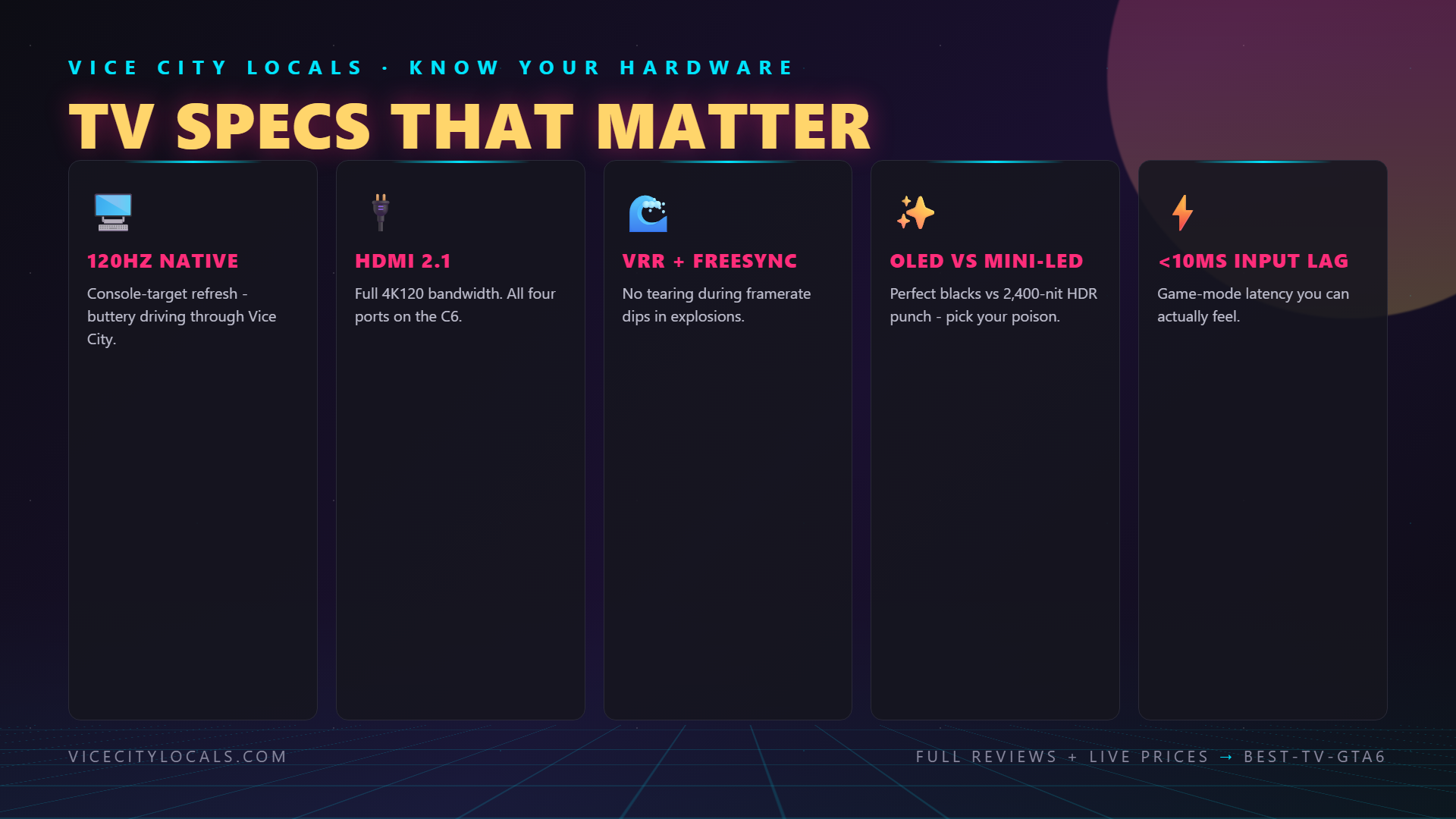
120Hz Refresh Rate
A 120Hz TV refreshes its image 120 times per second — twice as fast as a standard 60Hz TV. This means smoother motion, reduced input lag, and an overall more responsive feel. Both the PS5 and Xbox Series X/S support 120Hz output. While GTA 6’s target frame rate hasn’t been confirmed at 120fps (Rockstar typically prioritizes visual fidelity), a 120Hz panel still benefits the experience: motion is smoother even at 60fps thanks to better pixel response, and if Rockstar offers any kind of performance mode, you’ll be ready. Every TV on our list supports 120Hz natively.
HDMI 2.1
HDMI 2.1 is the connection standard that enables 4K at 120Hz, Variable Refresh Rate, and Auto Low Latency Mode. Without HDMI 2.1 ports, your console can’t output at its full potential. Every TV we recommend has at least two HDMI 2.1 ports. Make sure you also use the HDMI 2.1 cable that came with your PS5 or Xbox — older HDMI 2.0 cables can’t carry 4K@120Hz signals.
VRR (Variable Refresh Rate)
VRR dynamically matches the TV’s refresh rate to the console’s output frame rate in real time. This eliminates screen tearing and reduces stuttering when frame rates fluctuate. In a massive open-world game like GTA 6 where the frame rate may dip during intensive scenes — explosions, dense city areas, weather effects — VRR ensures the experience stays smooth. Look for TVs that support HDMI Forum VRR, AMD FreeSync, or NVIDIA G-Sync (all are compatible with PS5 and Xbox). Every TV on our list supports VRR.
ALLM (Auto Low Latency Mode)
ALLM automatically switches the TV into “Game Mode” when it detects a console signal, minimizing input lag (the delay between pressing a button and seeing the action on screen). Low input lag is critical for responsive gameplay — especially in GTA 6’s driving, shooting, and quick-time-event sequences. A good gaming TV should have input lag below 15ms in Game Mode. ALLM means you don’t have to manually dig through settings every time you switch from watching Netflix to playing.
HDR (High Dynamic Range)
HDR is where the visual magic happens. HDR expands the range of brightness and color the TV can display, allowing for brighter highlights, deeper shadows, and a wider color gamut. GTA 6 will almost certainly support HDR10 and possibly Dolby Vision. On an OLED TV, HDR is particularly stunning — Vice City’s neon lights will pop with an intensity that simply isn’t possible on a standard LED. The sunset reflecting off the ocean, the glare of car headlights, the glow of streetlights at night — HDR makes these moments look photorealistic. If your TV doesn’t support HDR (or supports it poorly), you’re missing out on a core part of Rockstar’s visual design.


Our Top TV Picks for GTA 6
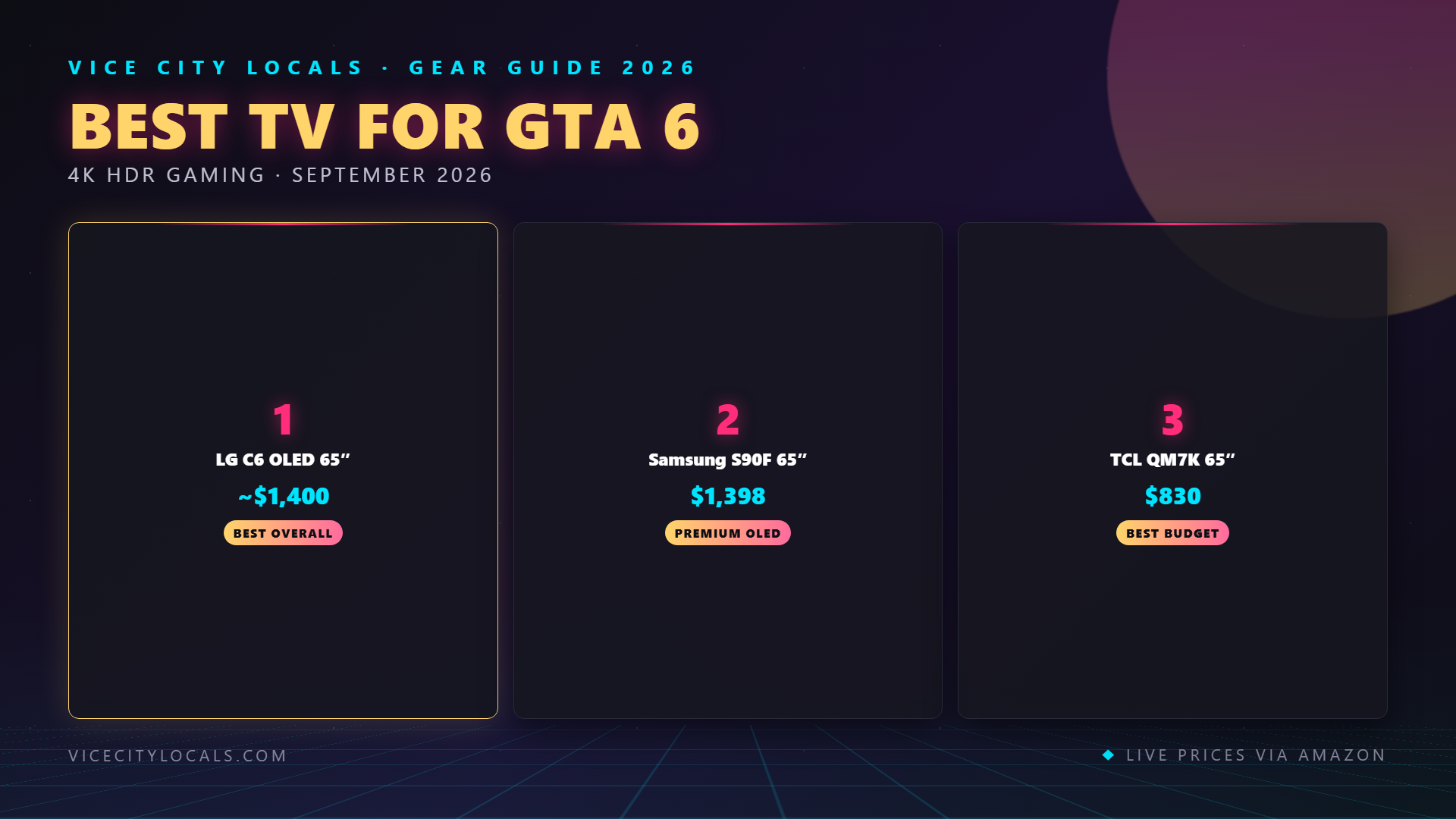
LG C6 OLED — Best Overall Gaming TV
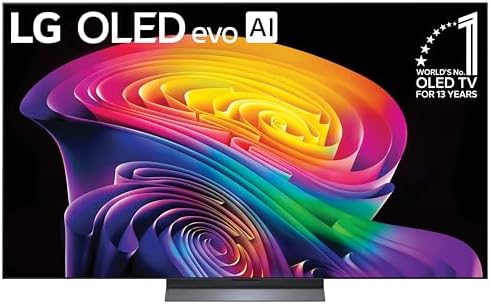
The 2026 LG C6 OLED is our top pick for GTA 6, and it’s not even close. RTINGS and PCMag call the C-series the best OLED value you can buy, and the 2026 C6 keeps that crown of price and performance you can buy. It’s an OLED evo panel with LG’s a11 AI Processor Gen3, delivering self-lit pixels for perfect blacks, infinite contrast, and the kind of color accuracy that makes game worlds look like high-end photography.
For gaming, the C6 is loaded: four full HDMI 2.1 ports (all supporting 4K@120Hz), VRR support up to 144Hz, G-Sync and FreeSync compatibility, ALLM, Dolby Vision gaming at 4K 120Hz, and an input lag of under 10ms in Game Mode. LG’s Game Optimizer dashboard lets you switch between genre presets (FPS, RPG, Sports, Standard) with a single button. The 120Hz OLED panel has near-instant pixel response, meaning fast driving sequences through Vice City will be buttery smooth with no motion blur. And because it’s OLED, every night scene — and there will be many in GTA 6 — will display with true black backgrounds that make neon lights pop with eye-searing intensity.
Available in sizes from 42″ to 83″, the C6 fits any setup. The 48″ and 55″ models are particularly popular for gaming rooms. Prices have dropped significantly since launch — you can regularly find the 55″ under $1,000 and the 65″ around $1,200–$1,400. For GTA 6, we’d call this the default recommendation. Check LG C6 OLED pricing on Amazon →
Key Specs: OLED evo panel | 4K @ 120Hz (144Hz VRR) | 4x HDMI 2.1 | Dolby Vision | ALLM | α9 Gen 7 processor | Sizes: 42″–83″ | ~$800–$1,400 (55″–65″)
Samsung S90F OLED — Best Premium OLED Alternative
If the LG C6 is the safe pick, the Samsung S90F OLED is the exciting one. It uses Samsung’s QD-OLED technology — a hybrid that combines OLED’s self-emissive pixels with a quantum dot layer for enhanced color volume and brightness. The result is an OLED that gets noticeably brighter than traditional W-OLED panels (like the C6), with more vibrant, saturated colors at peak brightness. For GTA 6’s sun-drenched Vice City beaches, daytime sky, and HDR highlights, the S90F’s extra brightness gives those scenes an almost three-dimensional quality.
The S90F features a native 144Hz panel (pushed to 144Hz for PC gaming, 120Hz for consoles), four HDMI 2.1 ports, Samsung’s Gaming Hub (cloud gaming built into the TV), FreeSync Premium Pro for VRR, ALLM, and the Neural Quantum Processor 4K for upscaling. RTINGS.com rates it as one of the best OLED TVs they’ve ever tested, with top marks for gaming, HDR, and dark room performance. Input lag in Game Mode is an exceptional 6ms — essentially imperceptible.
The main downside: Samsung doesn’t support Dolby Vision (they use their own HDR10+ format). This matters less for gaming than for movies — most games output in HDR10, which the S90F handles perfectly. Available in 42″ to 83″, the 55″ typically runs $1,000–$1,400 and the 65″ around $1,300–$1,700. If you want the brightest, most colorful OLED experience for Vice City’s vibrant world, the S90F is the one. See Samsung S90F OLED deals on Amazon →
Key Specs: QD-OLED panel | 4K @ 144Hz (120Hz console) | 4x HDMI 2.1 | HDR10+ | FreeSync Premium Pro | ALLM | Neural Quantum Processor | Sizes: 42″–83″ | ~$1,000–$1,700
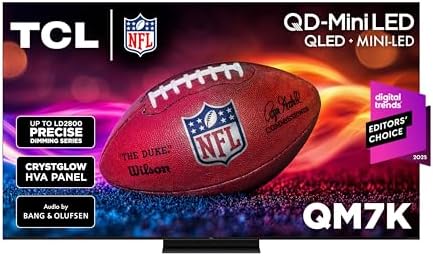
TCL QM7K — Best Budget Gaming TV
Not everyone can drop $1,000+ on a TV. That’s where the TCL QM7K comes in — and it’s one of the most remarkable value propositions in TV history. The QM7K uses QD-Mini LED technology with up to 1,500 local dimming zones, a peak brightness of up to 2,400 nits, and a native 144Hz panel (120Hz for consoles). For context, many OLEDs max out around 1,000–1,500 nits. The QM7K is brighter than most OLEDs, at half the price.
For GTA 6, the QM7K brings several serious advantages. First, the extreme brightness means HDR highlights — explosions, neon, sunlight reflections — will be intensely vivid. The 1,500 local dimming zones provide far better black levels than standard LED TVs, narrowing the gap with OLED significantly. You get two HDMI 2.1 ports (supporting 4K@144Hz for PC, 4K@120Hz for PS5/Xbox), FreeSync Premium Pro for VRR, ALLM, Dolby Vision support, and TCL’s Game Master Pro mode for optimized gaming settings. The AiPQ Pro processor handles upscaling and HDR tone mapping well for the price.
The QM7K isn’t perfect — its viewing angles are narrower than OLED, and dark-scene performance won’t match a self-emissive panel. But at $469 for a 55″ and roughly $700–$800 for a 65″, it delivers 80% of the OLED experience at 40% of the price. For GTA 6 on a budget, there is simply nothing better. Find TCL QM7K deals on Amazon →
Key Specs: QD-Mini LED panel | 4K @ 144Hz (120Hz console) | 2x HDMI 2.1 | Dolby Vision + HDR10+ | FreeSync Premium Pro | ALLM | Up to 1,500 dimming zones | 2,400 nits peak | Sizes: 55″–98″ | ~$469–$830 (55″–65″)
Why OLED Matters for GTA 6 Specifically
Let’s take a moment to explain why we keep coming back to OLED for this specific game. GTA 6’s Vice City is a city of contrasts. It’s bright, saturated, neon-drenched nightlife against dark, moody, atmospheric environments. It’s golden-hour sunsets over the ocean and pitch-black Everglades at midnight. It’s the inside of a dimly lit nightclub where you can barely see the person next to you. These scenes demand a display that can handle both extremes simultaneously — and that’s exactly what OLED does best.
On a traditional LED TV, dark scenes look washed out because the backlight can’t fully turn off — there’s always some light bleed. That nightclub scene becomes a gray mess. Those neon signs on Ocean Drive look like they’re glowing through fog rather than cutting through darkness. The Everglades at night looks blue-gray instead of genuinely black. OLED eliminates these problems entirely. Every dark scene achieves true black, letting the bright elements — neon, headlights, muzzle flashes, moonlight — shine with an intensity that LED simply can’t match.
There’s also the motion factor. GTA 6 will feature extensive high-speed driving, fast camera movements during action sequences, and dynamic weather effects. OLED’s near-instant pixel response time (sub-0.1ms vs. 5–10ms on LED) means motion blur is virtually non-existent. When you’re tearing down Vice City’s highways at top speed, the world stays sharp and clear — not smeared and blurry like it would be on a standard LED panel.
What About OLED Burn-In?
This is the most common concern we hear, and it’s worth addressing directly. Burn-in refers to permanent image retention from displaying static elements (like a HUD or health bar) for extended periods. Modern OLEDs (2023 and newer) have multiple anti-burn-in technologies: pixel shifting, automatic brightness limiting, logo luminance adjustment, and panel refresh cycles. RTINGS.com’s long-term burn-in tests show that modern OLEDs can handle thousands of hours of gaming with minimal to no visible burn-in. For a typical gamer playing GTA 6 a few hours a day, burn-in should not be a concern. If you’re playing 12+ hours daily with the same static HUD elements, it’s a small risk — but one that modern OLED technology largely mitigates.
Console-Specific Settings Guide
Once you’ve got your TV, make sure it’s set up correctly for GTA 6. Here’s a quick checklist:
1. Enable Game Mode. This is non-negotiable. Game Mode reduces input lag from 100ms+ to under 15ms. On LG TVs, use “Game Optimizer” mode. On Samsung, “Game Mode.” On TCL, “Game Master.”
2. Connect to HDMI 2.1 ports only. Only specific HDMI ports support 4K@120Hz. On the LG C6, all four ports are HDMI 2.1. On the TCL QM7K, only ports 1 and 2 are HDMI 2.1 — check your manual.
3. Enable VRR. Turn on Variable Refresh Rate in both your console settings and TV settings. This eliminates screen tearing during frame rate fluctuations.
4. Enable HDR. Make sure HDR is enabled in your console’s video output settings. On PS5, go to Settings > Screen and Video > HDR. On Xbox, Settings > General > TV & display options.
5. Use the included HDMI 2.1 cable. The cable that ships with the PS5 and Xbox Series X is HDMI 2.1 certified. Don’t substitute an older cable.
Our Final Verdict
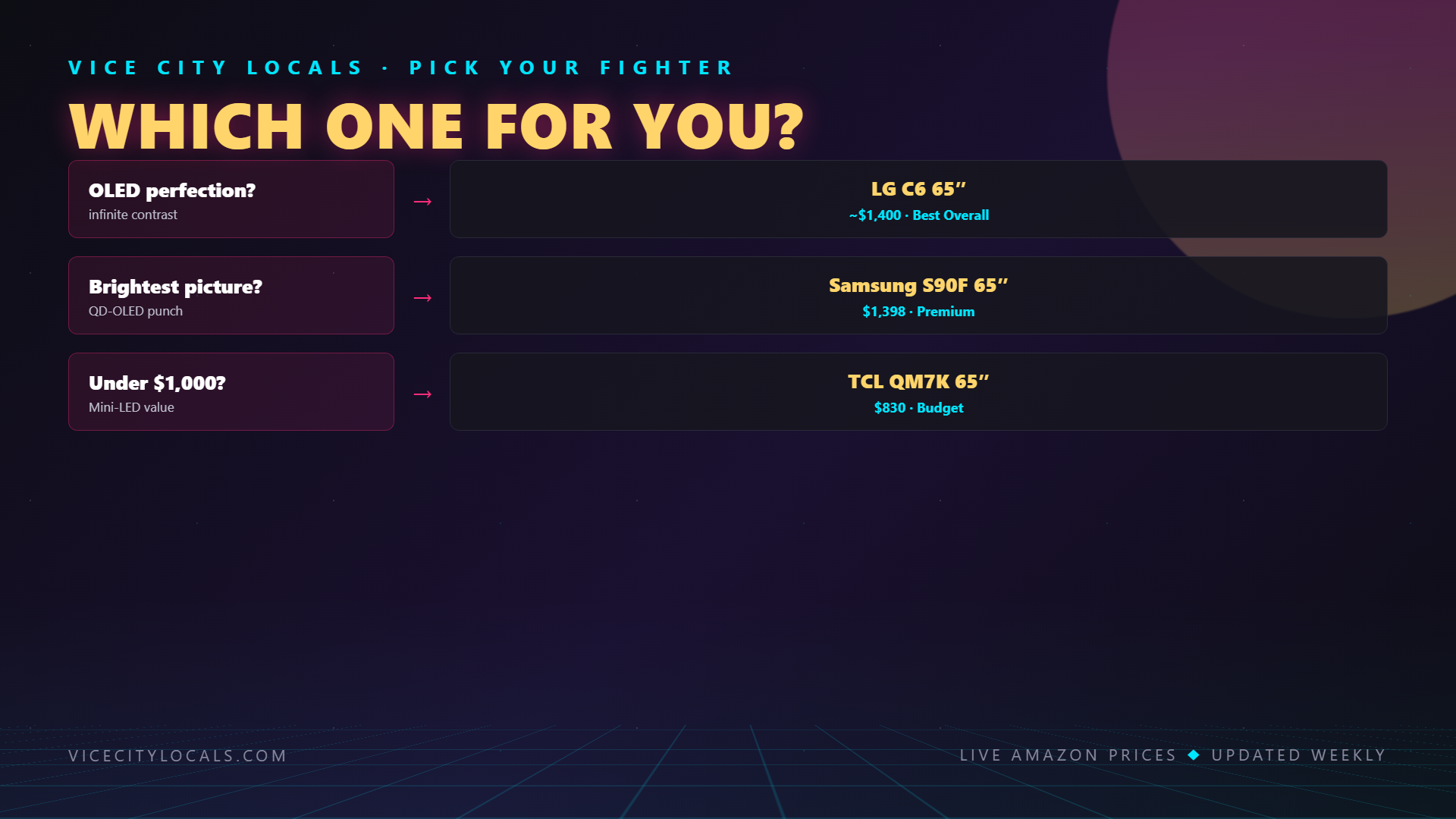
For the absolute best GTA 6 experience, the LG C6 OLED is our top pick. It delivers perfect blacks, infinite contrast, 120Hz gaming with all the HDMI 2.1 features, Dolby Vision, and sub-10ms input lag — all at a price that’s dropped to genuinely affordable territory. It’s the complete gaming TV.
If you want maximum brightness and color punch for Vice City’s sun-drenched daytime scenes, the Samsung S90F OLED is a phenomenal alternative that actually out-brightnesses the C6. And if budget is the deciding factor, the TCL QM7K delivers jaw-dropping value with Mini-LED technology that gets surprisingly close to OLED quality for a fraction of the cost.
Whatever you choose, make sure it has HDMI 2.1, 120Hz, VRR, and HDR. Those four features are the baseline for getting the most out of GTA 6 on PS5 or Xbox Series X/S. Don’t settle for less — Vice City deserves the best screen you can give it.
Vice City Locals is reader-supported. When you buy through links on our site, we may earn an affiliate commission. Prices and availability are accurate as of the time of writing and are subject to change. As an Amazon Associate, I earn from qualifying purchases.