Best Back Button Controllers for GTA 6 — 2026
Last Updated: September 2026
Related GTA 6 Guides
- Best GTA 6 Controllers: Top Picks for 2026
- Best Pro Controllers for GTA 6 Xbox
- Best Pro Controllers for GTA 6 PS5
- Best Modular Controllers for GTA 6
Disclosure: This article contains affiliate links. If you purchase through these links, we may earn a small commission at no extra cost. This helps keep Vice City Locals running.
Back buttons (also called paddles) are the single biggest competitive advantage you can add to your controller. No accessory, no thumb grip, no software tweak transforms your gameplay like moving buttons to the back of your gamepad.
GTA 6 is going to demand more simultaneous inputs than any Grand Theft Auto game before it. Driving, shooting, weapon management, phone access, abilities, vehicle entry — all happening in real-time during high-intensity moments. If your thumbs are stuck on the sticks, how do you press everything else?
That’s what back buttons solve. This guide ranks the best back button controllers for GTA 6 by their paddle implementation — because not all back buttons are created equal.
Why Back Buttons Matter Enormously for GTA 6
Let’s paint a picture. You’re in the middle of a GTA 6 chase sequence through Vice City. You’re: – Accelerating (right trigger) – Steering (left stick) – Aiming the camera (right stick) – Handbraking into a drift (a face button — but your thumb is on the stick) – Looking behind to check pursuit (a button — thumb is still on the stick) – Switching radio station (D-pad — thumb is on the stick)
Without back buttons, you have to choose: take your thumb off the stick (losing camera/driving control) or skip the input. Neither is good.
With back buttons, you map handbrake to one paddle, look-behind to another, weapon switch to a third, and radio/phone to a fourth. Your thumbs never leave the sticks. Every input is handled by your fingers on the back of the controller.
This isn’t a minor advantage. It’s the difference between smooth, fluid gameplay and the chaotic “claw grip” contortion that causes hand cramps and limits your potential.
Ranking Criteria
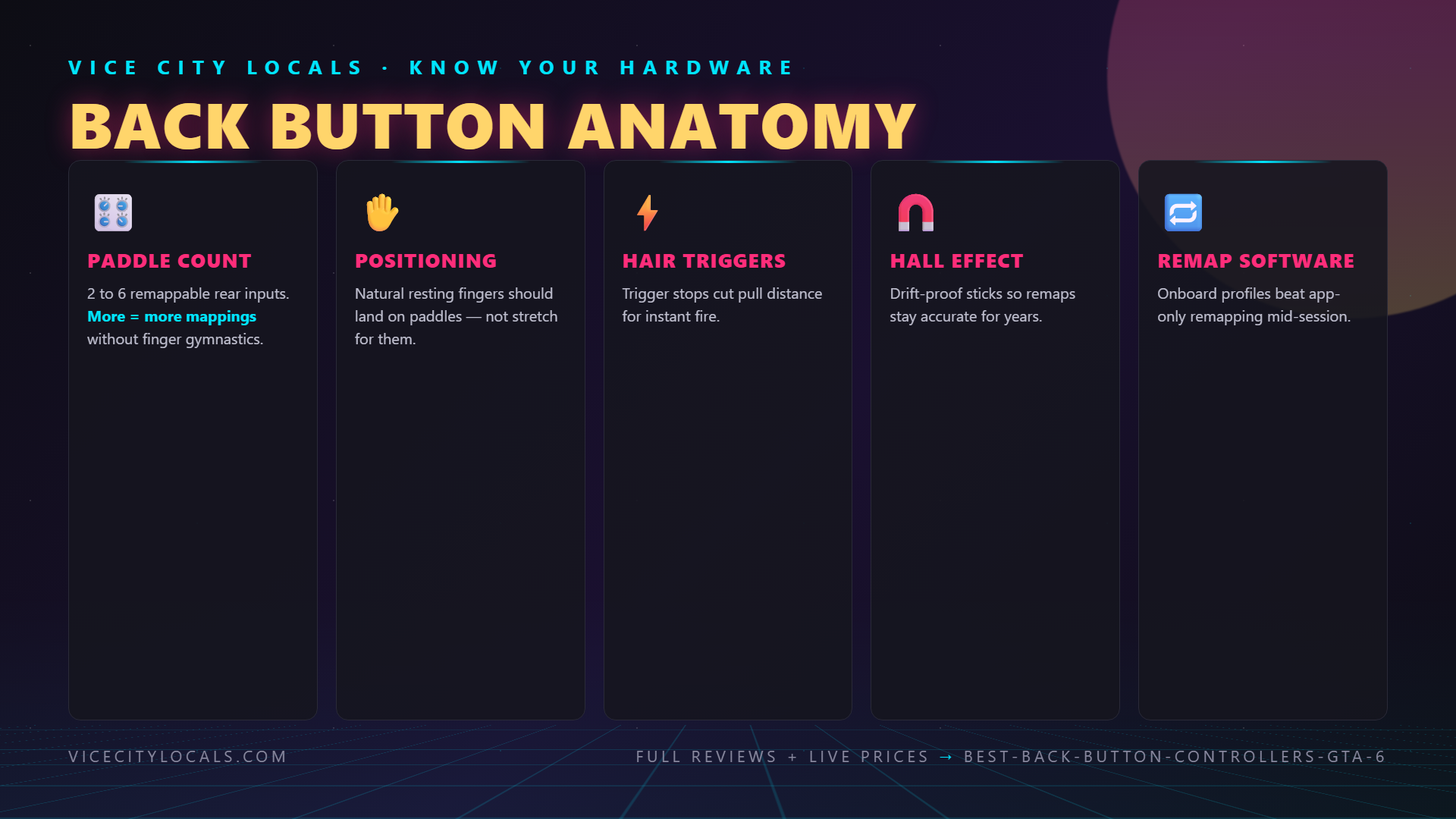
We’re ranking controllers specifically by their back button implementation, considering: 1. Number of back buttons (more = more mappings = more flexibility) 2. Remappability (can each button be independently assigned?) 3. Tactile feel (clicky and responsive, or mushy?) 4. Positioning (accessible to different hand sizes?) 5. Overall controller quality (the paddles don’t matter if the rest is bad)
The Ranking


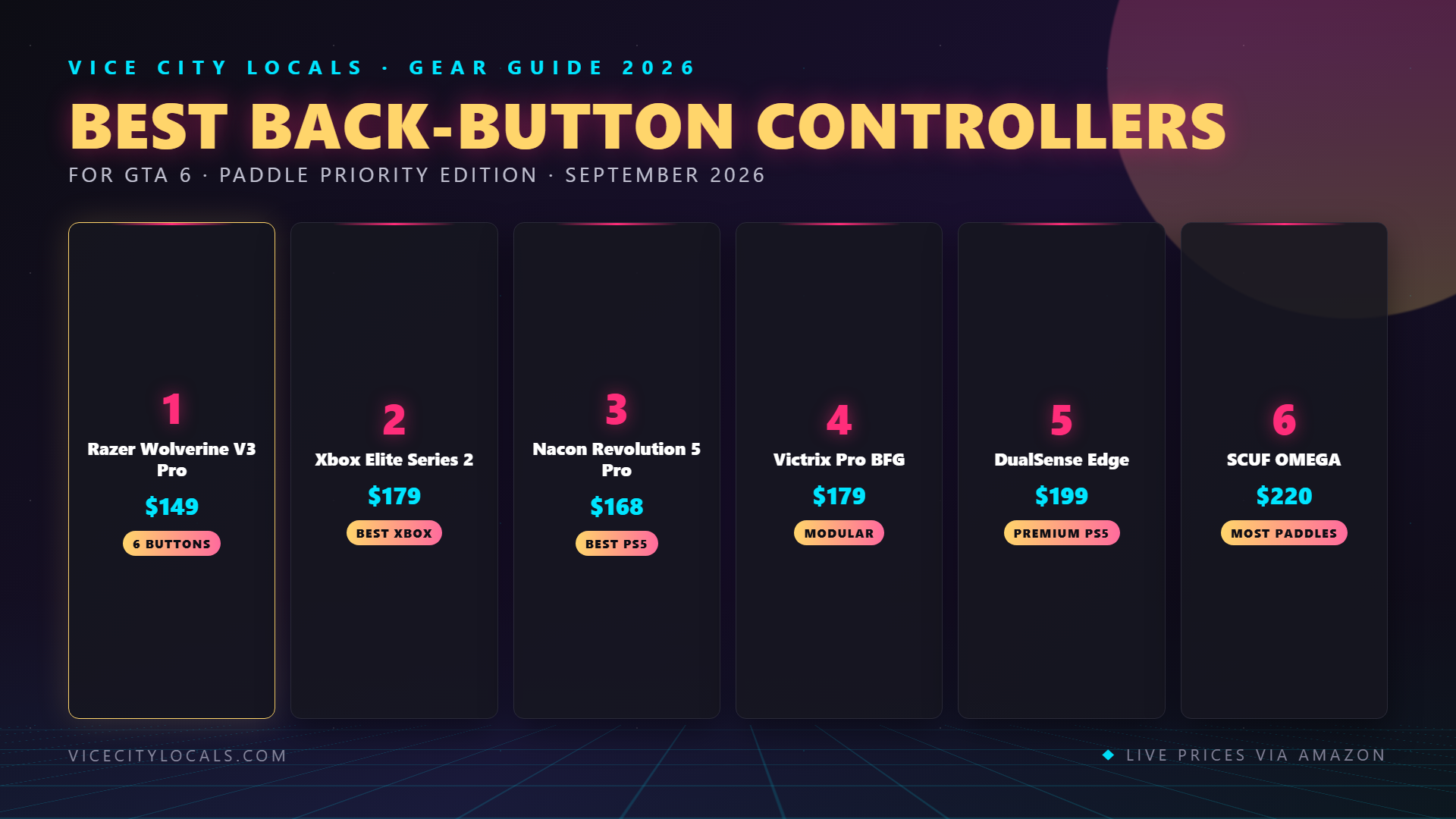
#1: Razer Wolverine V3 Pro — 6 Back Buttons, Zero Drift
Price: ~$149 | Platform: Xbox | Back Buttons: 6 (4 paddles + 2 trigger bumpers)
The Wolverine V3 Pro is the undisputed king of back buttons for GTA 6. No other controller offers this many remappable rear inputs.
The Back Button Setup:
- 4 mechanical paddles — positioned in a diamond pattern on the back, accessible to middle and ring fingers
- 2 multi-function bumpers — positioned above the triggers, accessible to index fingers
- Total: 6 fully remappable inputs
Why 6 Buttons Is a Game-Changer for GTA 6:
With six back buttons, you can map: | Button | Mapping Example | |—|—| | Paddle 1 (left upper) | Weapon switch | | Paddle 2 (left lower) | Handbrake | | Paddle 3 (right upper) | Look behind | | Paddle 4 (right lower) | Enter/exit vehicle | | Bumper 1 (left trigger) | Phone/abilities | | Bumper 2 (right trigger) | Melee/combat roll |
That’s every non-stick, non-trigger input mapped to your fingers. Your thumbs stay on the sticks 100% of the time.
Bonus: Hall Effect Sticks
The Wolverine V3 Pro uses Hall effect analog sticks — magnetic sensors that physically cannot develop stick drift. No potentiometer wear. No drift. Ever. This is the only controller on this list with drift-proof sticks AND six back buttons.
Tactile Feel:
Razer uses mechanical micro-switches for the paddles. They’re clicky, tactile, and unmistakable when actuated. You always know when you’ve pressed a button — no mush, no uncertainty.
Downsides:
- Wired only (no wireless)
- Xbox only (no PS5 version)
- Razer’s design aesthetic is aggressive — not everyone loves it
Verdict:
The ultimate back button controller. Six remappable inputs + Hall effect sticks at $149 makes it the best value pro controller on the market.
#2: Xbox Elite Series 2 — 4 Solid Paddles
Price: ~$179 | Platform: Xbox | Back Buttons: 4 (removable paddles)
The Elite Series 2 popularized the four-paddle design and remains the gold standard for premium feel.
The Back Button Setup:
- 4 magnetic paddles — two per side, in a stacked layout
- Removable — attach 0, 2, or 4 paddles depending on preference
- Magnetic attachment — snap on and off instantly
- Each paddle independently remappable via Xbox Accessories app
Paddle Feel and Positioning:
The Elite Series 2 paddles are wider and flatter than most competitors. They’re easy to reach with middle/ring fingers and have a smooth, satisfying click. The wider surface area makes them easier to hit consistently.
Why It’s Great for GTA 6:
Four paddles cover the essentials — weapon switch, handbrake, look-behind, and enter/exit vehicle. You can’t map everything, but you cover the most critical inputs.
Downsides:
- Potentiometer sticks — drift is a known issue (unlike Wolverine’s Hall effect)
- $179 is expensive
- Heavy controller — some find it fatiguing
- Paddles can occasionally detach if you grip too hard
Verdict:
The premium feel champion. If you want four well-designed paddles and don’t need the Wolverine’s extra two bumpers, the Elite Series 2 is the classic choice.
#3: Nacon Revolution 5 Pro — PS5’s 4-Button Option
Price: ~$168 | Platform: PS5 | Back Buttons: 4
The Nacon Revolution 5 Pro brings four back buttons to the PS5 ecosystem — something Sony’s own DualSense Edge doesn’t offer.
The Back Button Setup:
- 4 paddles on the back, positioned for middle/ring finger access
- Asymmetric stick layout — Xbox-style offset sticks on a PS5 controller
- Fully remappable via Nacon’s software
Why It’s Notable:
This is the controller for PS5 players who want four paddles AND prefer the Xbox stick arrangement. It’s a niche combination that Nacon nails.
Downsides:
- No adaptive triggers or haptics (unlike DualSense)
- Wired or wireless dongle only (no Bluetooth)
- Nacon’s software isn’t as polished as Xbox Accessories
Verdict:
The best four-paddle option for PS5 players who don’t need haptics.
#4: Victrix Pro BFG — 4 Paddles + Modular Design
Price: ~$179 | Platform: PS5 | Back Buttons: 4
The Victrix Pro BFG is primarily known for its modular fightpad transformation, but its four back buttons are excellent in their own right.
The Back Button Setup:
- 4 paddles positioned on the lower back
- Remappable via the Victrix control hub
- Comfortable placement — accessible without contorting your fingers
Why It Stands Out:
The Pro BFG’s back buttons work seamlessly with its modular design. In standard mode, all four paddles are available. If you swap to fightpad mode for GTA 6 arcade minigames, the paddles remain functional for face button inputs.
Downsides:
- Uses 2.4GHz USB dongle (not native PS5 Bluetooth)
- No adaptive triggers or haptics
- Pricey at $179
Verdict:
Best for PS5 players who want four paddles AND modular design. Unique in the market.
#5: DualSense Edge — 2 Premium Back Buttons
Price: ~$199 | Platform: PS5 | Back Buttons: 2
The Edge gives you fewer back buttons than any controller on this list, but what it does offer is high quality.
The Back Button Setup:
- 2 back button modules — included in two shapes (slim and raised)
- Magnetic attachment — swap shapes instantly
- Fully remappable via on-controller interface
- Clicky, tactile actuation — premium feel
The Problem:
Two back buttons. In a world where competitors offer four to six, two feels limiting. You can map your two most critical GTA 6 inputs (handbrake + weapon switch, say), but that’s it. Everything else still requires thumb movement.
Why It Still Makes the List:
The Edge is the only PS5 controller with back buttons that also retains full adaptive triggers and haptic feedback. If you refuse to give up Sony’s immersive features, this is your only option.
Verdict:
Great quality, insufficient quantity. Two buttons is the minimum for a “pro” controller in 2026.
#6: SCUF Instinct Pro (Xbox) — 2-4 Configurable Paddles
Price: ~$219 | Platform: Xbox | Back Buttons: 2-4 (depending on configuration)
SCUF invented the controller paddle, and the Instinct Pro is their Xbox flagship.
The Back Button Setup:
- SCUF’s signature paddle system — available in 2 or 4 paddle configurations
- Adjustable paddle length — extend or retract for different hand sizes
- Removable — take off paddles you don’t use
- Hair trigger locks — separate from paddles
The SCUF Advantage:
SCUF’s paddles are the most adjustable on the market. You can change their length, angle, and position to match your hand size and grip style. No other controller offers this level of paddle customization.
Downsides:
- Most expensive option on this list ($219+)
- Paddles are narrow — some find them less comfortable than the Elite’s wide paddles
- SCUF’s build quality has been inconsistent in some reviews
- Still uses potentiometer sticks (drift-prone)
Verdict:
Best if you want highly adjustable paddle ergonomics and are willing to pay a premium. But the Elite Series 2 offers similar functionality for $40 less.
#7: SCUF OMEGA (PS5) — SCUF’s PS5 Option
Price: ~$219+ | Platform: PS5 | Back Buttons: 2-4
SCUF’s PS5 controller brings their paddle expertise to the DualSense form factor.
The Back Button Setup:
- 2 or 4 paddles depending on configuration
- Adjustable paddle system — same as the Instinct Pro
- Remappable via SCUF’s system trong> (more = more mappings = more flexibility)
- 4 mechanical paddles — positioned in a diamond pattern on the back, accessible to middle and ring fingers
- 2 multi-function bumpers — positioned above the triggers, accessible to index fingers
- Total: 6 fully remappable inputs
- Wired only (no wireless)
- Xbox only (no PS5 version)
- Razer’s design aesthetic is aggressive — not everyone loves it
- 4 magnetic paddles — two per side, in a stacked layout
- Removable — attach 0, 2, or 4 paddles depending on preference
- Magnetic attachment — snap on and off instantly
- Each paddle independently remappable via Xbox Accessories app
- Potentiometer sticks — drift is a known issue (unlike Wolverine’s Hall effect)
- $179 is expensive
- Heavy controller — some find it fatiguing
- Paddles can occasionally detach if you grip too hard
- 4 paddles on the back, positioned for middle/ring finger access
- Asymmetric stick layout — Xbox-style offset sticks on a PS5 controller
- Fully remappable via Nacon’s software
- No adaptive triggers or haptics (unlike DualSense)
- Wired or wireless dongle only (no Bluetooth)
- Nacon’s software isn’t as polished as Xbox Accessories
- 4 paddles positioned on the lower back
- Remappable via the Victrix control hub
- Comfortable placement — accessible without contorting your fingers
- Uses 2.4GHz USB dongle (not native PS5 Bluetooth)
- No adaptive triggers or haptics
- Pricey at $179
- 2 back button modules — included in two shapes (slim and raised)
- Magnetic attachment — swap shapes instantly
- Fully remappable via on-controller interface
- Clicky, tactile actuation — premium feel
- SCUF’s signature paddle system — available in 2 or 4 paddle configurations
- Adjustable paddle length — extend or retract for different hand sizes
- Removable — take off paddles you don’t use
- Hair trigger locks — separate from paddles
- Most expensive option on this list ($219+)
- Paddles are narrow — some find them less comfortable than the Elite’s wide paddles
- SCUF’s build quality has been inconsistent in some reviews
- Still uses potentiometer sticks (drift-prone)
- 2 or 4 paddles depending on configuration
- Adjustable paddle system — same as the Instinct Pro
- Remappable via SCUF’s system
- $219+ (most expensive on this list)
- No adaptive triggers (replaced with instant triggers — trade-off)
- Limited availability and long shipping times from SCUF direct
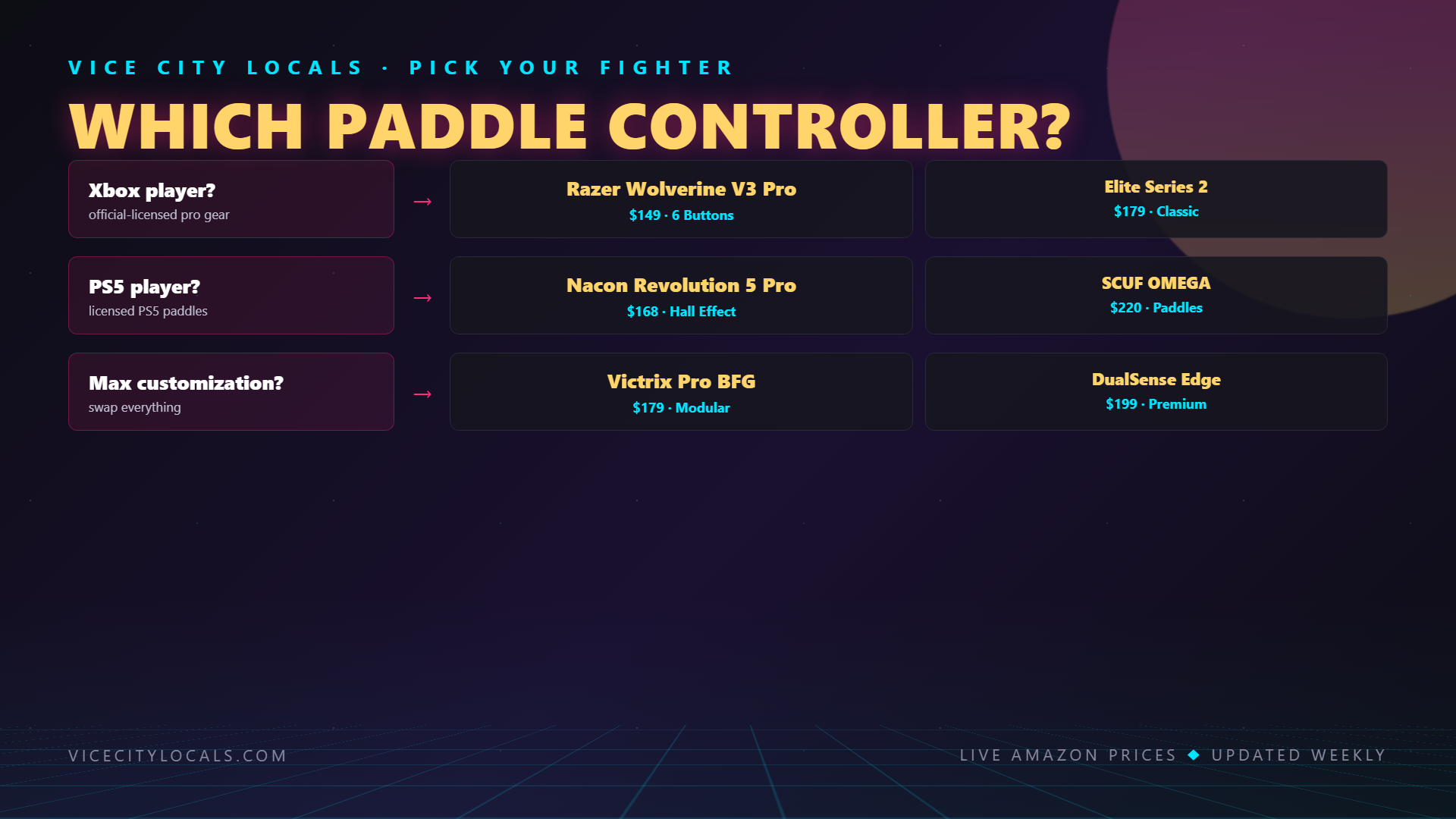
- 🏆 Best Overall: Razer Wolverine V3 Pro — 6 buttons, Hall effect sticks, $149
- 🏆 Best Premium Feel: Xbox Elite Series 2 — 4 wide, tactile paddles, $179
- 🏆 Best PS5 (4 buttons): Victrix Pro BFG — 4 paddles + modular design, $179
- 🏆 Best PS5 (with haptics): DualSense Edge — 2 buttons + adaptive triggers, $199
- 🏆 Best PS5 (feature-complete): SCUF OMEGA — Hall effect + instant triggers, $219+
- 💰 Best Value PS5: Nacon Revolution 5 Pro — 4 buttons at $168
2. Remappability (can each button be independently assigned?)
3. Tactile feel (clicky and responsive, or mushy?)
4. Positioning (accessible to different hand sizes?)
5. Overall controller quality (the paddles don’t matter if the rest is bad)
#1: Razer Wolverine V3 Pro — 6 Back Buttons, Zero Drift
Price: ~$149 | Platform: Xbox | Back Buttons: 6 (4 paddles + 2 trigger bumpers)
The Wolverine V3 Pro is the undisputed king of back buttons for GTA 6. No other controller offers this many remappable rear inputs.
The Back Button Setup:
Why 6 Buttons Is a Game-Changer for GTA 6:
With six back buttons, you can map:
| Button | Mapping Example |
|—|—|
| Paddle 1 (left upper) | Weapon switch |
| Paddle 2 (left lower) | Handbrake |
| Paddle 3 (right upper) | Look behind |
| Paddle 4 (right lower) | Enter/exit vehicle |
| Bumper 1 (left trigger) | Phone/abilities |
| Bumper 2 (right trigger) | Melee/combat roll |
That’s every non-stick, non-trigger input mapped to your fingers. Your thumbs stay on the sticks 100% of the time.
Bonus: Hall Effect Sticks
The Wolverine V3 Pro uses Hall effect analog sticks — magnetic sensors that physically cannot develop stick drift. No potentiometer wear. No drift. Ever. This is the only controller on this list with drift-proof sticks AND six back buttons.
Tactile Feel:
Razer uses mechanical micro-switches for the paddles. They’re clicky, tactile, and unmistakable when actuated. You always know when you’ve pressed a button — no mush, no uncertainty.
Downsides:
Verdict:
The ultimate back button controller. Six remappable inputs + Hall effect sticks at $149 makes it the best value pro controller on the market.
#2: Xbox Elite Series 2 — 4 Solid Paddles
Price: ~$179 | Platform: Xbox | Back Buttons: 4 (removable paddles)
The Elite Series 2 popularized the four-paddle design and remains the gold standard for premium feel.
The Back Button Setup:
Paddle Feel and Positioning:
The Elite Series 2 paddles are wider and flatter than most competitors. They’re easy to reach with middle/ring fingers and have a smooth, satisfying click. The wider surface area makes them easier to hit consistently.
Why It’s Great for GTA 6:
Four paddles cover the essentials — weapon switch, handbrake, look-behind, and enter/exit vehicle. You can’t map everything, but you cover the most critical inputs.
Downsides:
Verdict:
The premium feel champion. If you want four well-designed paddles and don’t need the Wolverine’s extra two bumpers, the Elite Series 2 is the classic choice.
#3: Nacon Revolution 5 Pro — PS5’s 4-Button Option
Price: ~$168 | Platform: PS5 | Back Buttons: 4
The Nacon Revolution 5 Pro brings four back buttons to the PS5 ecosystem — something Sony’s own DualSense Edge doesn’t offer.
The Back Button Setup:
Why It’s Notable:
This is the controller for PS5 players who want four paddles AND prefer the Xbox stick arrangement. It’s a niche combination that Nacon nails.
Downsides:
Verdict:
The best four-paddle option for PS5 players who don’t need haptics.
#4: Victrix Pro BFG — 4 Paddles + Modular Design
Price: ~$179 | Platform: PS5 | Back Buttons: 4
The Victrix Pro BFG is primarily known for its modular fightpad transformation, but its four back buttons are excellent in their own right.
The Back Button Setup:
Why It Stands Out:
The Pro BFG’s back buttons work seamlessly with its modular design. In standard mode, all four paddles are available. If you swap to fightpad mode for GTA 6 arcade minigames, the paddles remain functional for face button inputs.
Downsides:
Verdict:
Best for PS5 players who want four paddles AND modular design. Unique in the market.
#5: DualSense Edge — 2 Premium Back Buttons
Price: ~$199 | Platform: PS5 | Back Buttons: 2
The Edge gives you fewer back buttons than any controller on this list, but what it does offer is high quality.
The Back Button Setup:
The Problem:
Two back buttons. In a world where competitors offer four to six, two feels limiting. You can map your two most critical GTA 6 inputs (handbrake + weapon switch, say), but that’s it. Everything else still requires thumb movement.
Why It Still Makes the List:
The Edge is the only PS5 controller with back buttons that also retains full adaptive triggers and haptic feedback. If you refuse to give up Sony’s immersive features, this is your only option.
Verdict:
Great quality, insufficient quantity. Two buttons is the minimum for a “pro” controller in 2026.
#6: SCUF Instinct Pro (Xbox) — 2-4 Configurable Paddles
Price: ~$219 | Platform: Xbox | Back Buttons: 2-4 (depending on configuration)
SCUF invented the controller paddle, and the Instinct Pro is their Xbox flagship.
The Back Button Setup:
The SCUF Advantage:
SCUF’s paddles are the most adjustable on the market. You can change their length, angle, and position to match your hand size and grip style. No other controller offers this level of paddle customization.
Downsides:
Verdict:
Best if you want highly adjustable paddle ergonomics and are willing to pay a premium. But the Elite Series 2 offers similar functionality for $40 less.
#7: SCUF OMEGA (PS5) — SCUF’s PS5 Option
Price: ~$219+ | Platform: PS5 | Back Buttons: 2-4
SCUF’s PS5 controller brings their paddle expertise to the DualSense form factor.
The Back Button Setup:
The Unique Advantage:
The SCUF OMEGA is the only PS5 controller with both Hall effect sticks AND hardware instant triggers. It’s the most feature-complete PS5 pro controller — if you can stomach the price.
Downsides:
Verdict:
The most feature-packed PS5 pro controller, but the price is steep. Only for players who want every possible advantage.
Back Button Comparison Summary
| Controller | # Buttons | Feel | Customization | Platform | Price |
|---|---|---|---|---|---|
| Razer Wolverine V3 Pro | 6 | ⭐⭐⭐⭐⭐ | Full remap | Xbox | $149 |
| Xbox Elite Series 2 | 4 | ⭐⭐⭐⭐⭐ | Full remap | Xbox | $179 |
| Nacon Revolution 5 Pro | 4 | ⭐⭐⭐⭐ | Full remap | PS5 | $168 |
| Victrix Pro BFG | 4 | ⭐⭐⭐⭐ | Full remap | PS5 | $179 |
| DualSense Edge | 2 | ⭐⭐⭐⭐⭐ | Full remap | PS5 | $199 |
| SCUF Instinct Pro | 2-4 | ⭐⭐⭐⭐ | Full + physical adjust | Xbox | $219 |
| SCUF OMEGA | 2-4 | ⭐⭐⭐⭐ | Full + physical adjust | PS5 | $219+ |
How Many Back Buttons Do You Actually Need?
2 Buttons (DualSense Edge):
Enough for: Weapon switch + handbrake
Limitation: Still using face buttons for look-behind, phone, melee, enter/exit
4 Buttons (Elite, Nacon, Victrix):
Enough for: Weapon switch + handbrake + look-behind + enter/exit
Limitation: Phone, abilities, and melee still require thumb movement
6 Buttons (Wolverine V3 Pro):
Enough for: Weapon switch + handbrake + look-behind + enter/exit + phone + melee
Limitation: None — every critical input is mapped to your fingers
For GTA 6, 4 buttons is the sweet spot. Six is luxurious. Two is the bare minimum.
FAQ
Are back buttons cheating?
No. They’re a standard feature on pro controllers and are allowed in all competitive gaming environments. They don’t add inputs the game doesn’t support — they just remap existing inputs to more accessible locations.
Can I add back buttons to a standard controller?
Not easily. There are third-party attachment products, but they’re clunky and unreliable. A controller designed with back buttons from the ground up is always better.
Do back buttons take time to get used to?
Yes — expect 1–2 weeks of adjustment. Initially, you’ll accidentally press paddles during gameplay. After a week, it becomes second nature, and you’ll wonder how you ever played without them.
Which controller has the best back buttons for GTA 6?
The Razer Wolverine V3 Pro. Six buttons + Hall effect sticks at $149 is unbeatable value.
Should I get 2 or 4 paddles?
If you’re new to back buttons, start with 2 to learn the muscle memory. If you’re experienced or play complex games like GTA 6, go straight to 4.
Final Thoughts
Back buttons are the most impactful upgrade you can make to your GTA 6 controller setup. The difference between playing with and without paddles is night and day — once you go paddles, you never go back.
Our picks by category:
Get your back button controller before GTA 6 drops on November 19, 2026. Your future Vice City self will thank you.
For more GTA 6 controller content, check our full controller buyer’s guide, PS5 vs Xbox comparison, and budget picks under $60.
Want GTA 6 news the second it drops? Join the Locals — our free newsletter. No spam, unsubscribe anytime.