Best Gaming Headphones for GTA 6 PS5 — 2026
Last Updated: September 2026
Related GTA 6 Guides
- Best Gaming Headphones for GTA 6
- Best Wireless Headphones for GTA 6
- Best GTA 6 Controllers for PS5
- Best GTA 6 Setup for PS5 — Complete
FTC Disclosure: Vice City Locals is reader-supported. When you buy through links on this site, we may earn an affiliate commission at no additional cost to you. All opinions are our own.
PlayStation 5 has a secret weapon that makes it arguably the best platform for gaming audio: Tempest 3D Audio. Unlike Xbox, which requires a paid Dolby Atmos app for top-tier spatial sound, Sony’s Tempest engine is built directly into the PS5’s hardware — and it works with any headset you plug in. No dongle requirement, no app download, no extra purchase.
That said, not all headsets are created equal. The right PS5 headset can make Vice City feel like it’s wrapping around your skull, while the wrong one flattens Rockstar’s meticulous sound design into mush. Here are the best PS5 gaming headsets for GTA 6, chosen for their synergy with the PS5’s unique audio capabilities.
The PS5 Audio Advantage: Tempest 3D Explained
Before the recommendations, here’s why PS5 audio is special:
Tempest 3D AudioTech
The PS5’s custom Tempest Engine processes hundreds of individual audio sources and positions them in a 3D space around your head. When GTA 6 sends a police siren from behind-left, the Tempest Engine calculates the exact timing, volume, and filtering to make it sound like it’s genuinely behind you — even with stereo headphones.
Key Tempest facts: – Works with ANY headset. Unlike Dolby Atmos, there’s no certification requirement. Plug in a $30 pair of earbuds and Tempest still functions. – No extra cost. It’s built into the PS5 OS. Just enable 3D Audio for Headphones in Settings → Sound. – Object-based audio. Each sound in the game world (footsteps, vehicles, gunshots, rain) is a discrete object the Tempest Engine positions independently.
The DualSense 3.5mm Jack
Every PS5 DualSense controller has a 3.5mm headphone jack. This means: – Any wired headset works immediately — no setup needed. – Audio quality is excellent (the controller has a built-in DAC). – You can use ANY wired headphones as a gaming headset.
This makes PS5 the most flexible console for audio. You have options ranging from $50 to $400+, and every one of them benefits from Tempest 3D Audio.
Our PS5 Headset Picks for GTA 6
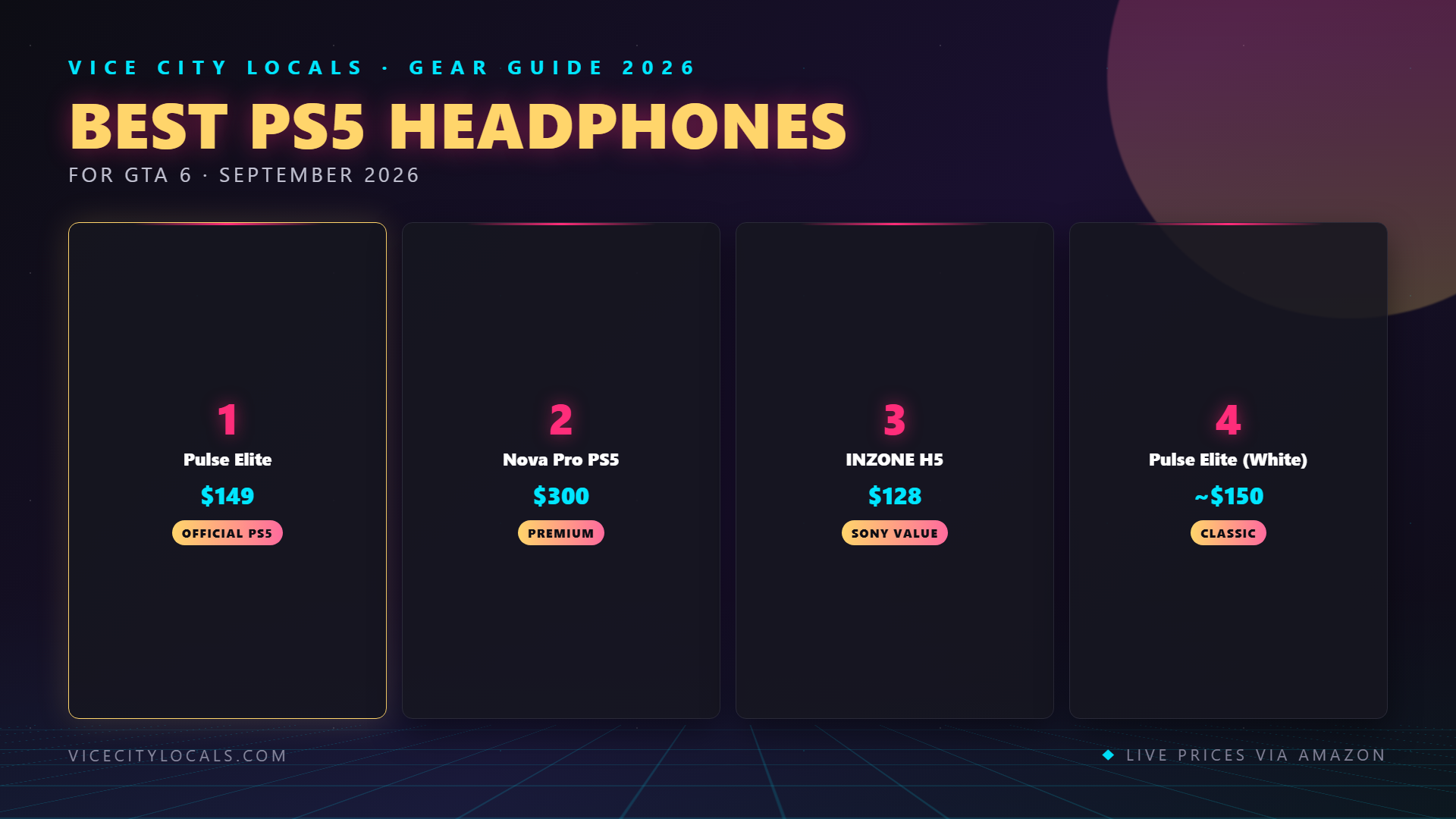
1. Sony Pulse Elite — Best Overall PS5 Headset
Sony didn’t just make “another gaming headset” with the Pulse Elite. They brought planar magnetic drivers — technology normally reserved for $500+ audiophile headphones — into a $150 gaming headset designed specifically for PS5. This is the most PS5-native headset on the market.
What planar magnetic drivers do for GTA 6:
- Incredible detail retrieval. You’ll hear layers in radio tracks and environmental audio that dynamic drivers blur together. Vice City’s ambient soundscapes will reveal hidden depth.
- Lightning-fast transients. Gunshots, explosions, and impacts have a visceral snap that traditional cone drivers soften.
- Exceptionally wide soundstage. Combined with Tempest 3D Audio, this creates the most precise positional audio experience possible on PS5.
Other PS5-native features: – Direct PS5 wireless. Uses the PS5’s built-in Link protocol — no dongle, no USB port consumed. – DualSense-style styling. Matches the console aesthetic if that matters to you. – Retractable boom mic with AI noise rejection. – Premium build with a rigid headband and leatherette ear cups.
Trade-offs: The rigid headband can create pressure points for some head shapes. Not cross-platform — it’s PS5/PC only. Battery life is ~15 hours, which is average.
Best for: PS5 players who want the most platform-native, highest-fidelity audio experience.
2. SteelSeries Arctis Nova Pro Wireless (PS5 Edition) — Best Premium
If budget isn’t a concern and you want maximum features, the Nova Pro Wireless in its PS5 configuration is the most feature-rich headset on this list. At ~$350, it’s an investment — but one that pays dividends across every game you play, not just GTA 6.
Why it’s elite:
- Dual hot-swappable batteries. The base station charges one battery while you game with the other. Truly infinite battery life — swap in 5 seconds, never plug in mid-session.
- Active Noise Cancellation. Block out your environment and vanish into Vice City.
- Simultaneous 2.4GHz + Bluetooth. Mix in your phone audio for podcasts or music while gaming.
- SteelSeries Sonar software with parametric EQ — dial in the perfect GTA 6 audio profile.
- Premium build quality. Aluminum suspension, magnetic ear cups, replaceable parts.
Trade-offs: The base station takes up space and requires power + optical/USB audio connections. It’s the most expensive option here.
Best for: Players who want zero compromises and have the budget to match.
3. Sony INZONE H5 — Best Mid-Range Sony Option
The INZONE H5 is Sony’s “designed-for-PS5-and-PC” headset that sits in the sweet spot between the Pulse 3D and the Pulse Elite. At ~$150, it offers premium features at a reasonable price point.
What makes it shine:
- Tuned specifically for PS5. Sony’s audio engineers voiced this headset to complement the Tempest 3D Engine’s frequency response curve.
- Lightweight at 286g. One of the lightest wireless headsets available. Barely noticeable during extended sessions.
- Up to 40-hour battery life (without spatial audio enabled; ~20 hours with it).
- Silicone earpads that are comfortable in warm environments — less sweat than leatherette.
- Discord-certified flip-to-mute boom mic.
Trade-offs: The sound signature leans analytical — accurate but not as “fun” or bass-heavy as competitors. Some users find the silicone earpads less plush than memory foam alternatives.
Best for: Players who want a lightweight, PS5-native wireless headset under $200.
4. Sony Pulse 3D — Best Budget First-Party Option
The original PS5 launch headset remains relevant in 2026 — especially when it drops to ~$100 or below on sale. It’s not the most advanced headset on this list, but it’s the most affordable way to get a headset purpose-built for PS5’s 3D Audio.
Why it still earns a recommendation:
- Optimized for Tempest 3D Audio. The fine-tuned drivers are specifically voiced to work with Sony’s spatial engine.
- Direct PS5 wireless. No dongle — pairs natively with the console.
- Dual hidden microphones built into the ear cups (no boom arm).
- Surprisingly comfortable with a lightweight, flexible design.
- Twin dual-mic array with noise-canceling for clear chat.
Trade-offs: Build quality feels inexpensive (lots of plastic). No premium features — no ANC, no Bluetooth, no hot-swappable battery. The hidden mics are decent but not as clear as a dedicated boom mic.
Best for: PS5 players on a budget who want first-party Tempest optimization.
PS5 Headset Comparison Table


How to Get the Best Audio from Your PS5 + Headset
Step 1: Enable 3D Audio for Headphones
Go to Settings → Sound → Audio Output → Enable 3D Audio for Headphones. This is the single most important setting. Without it, you’re leaving the PS5’s biggest audio advantage unused.
Step 2: Measure Your Ear Profile
In the same 3D Audio settings, Sony lets you run a quick ear profile test. This personalizes the spatial audio algorithm to YOUR head shape. It takes 2 minutes and measurably improves positional accuracy.
Step 3: Choose the Right Output
- USB dongle headsets (Nova Pro, INZONE H5): Connect via USB, select as audio output.
- PS5 Link headsets (Pulse Elite, Pulse 3D): Pair directly via Bluetooth → Accessories.
- Wired headsets: Plug into the DualSense 3.5mm jack. Set output to “Headset Connected to Controller.”
Step 4: Adjust EQ If Available
Some headsets (Nova Pro via Sonar, Pulse Elite via PS5 settings) offer EQ adjustment. For GTA 6, a slight bass boost enhances radio stations and vehicle engines without overwhelming dialogue.
FAQ
Does Tempest 3D Audio really make a difference for GTA 6?
Absolutely. In an open-world game with hundreds of simultaneous audio sources — vehicles, NPCs, wildlife, weather, music, combat — 3D Audio lets your brain naturally separate and locate each sound. It transforms audio from background noise into tactical information. You’ll literally hear which direction a threat is approaching from.
Can I use any Bluetooth headphones with PS5?
Not natively for game audio. The PS5 doesn’t support standard Bluetooth audio for gameplay. Sony’s own Pulse headsets use a proprietary low-latency protocol (PS5 Link). For third-party wireless, you need a 2.4GHz USB dongle headset.
Is the Pulse Elite worth it over the Pulse 3D?
If audio quality matters to you, yes — emphatically. The planar magnetic drivers in the Pulse Elite are a generational leap over the Pulse 3D’s standard dynamic drivers. The difference in clarity, detail, and bass impact is immediately noticeable, especially with music-heavy content like GTA 6’s radio stations.
Can I use a PS5 headset on PC?
Yes. The Nova Pro Wireless and INZONE H5 both work on PC. The Pulse Elite and Pulse 3D can connect to PC via USB cable but lose some functionality. For a headset that works seamlessly across PS5 and PC, the Nova Pro or INZONE H5 are better choices.
What’s the difference between the INZONE H5 and Pulse Elite?
The Pulse Elite is a pure PS5 headset with planar magnetic drivers and direct PS5 Link wireless — superior sound quality. The INZONE H5 is a PS5/PC hybrid with a USB dongle, lighter weight, and longer battery — better versatility. Choose the Elite for sound quality, the H5 for comfort and multi-device use.
Final Thoughts
PS5’s Tempest 3D Audio gives you a built-in advantage for immersive gaming, but you still need a quality headset to unlock its full potential. Here’s how to choose:
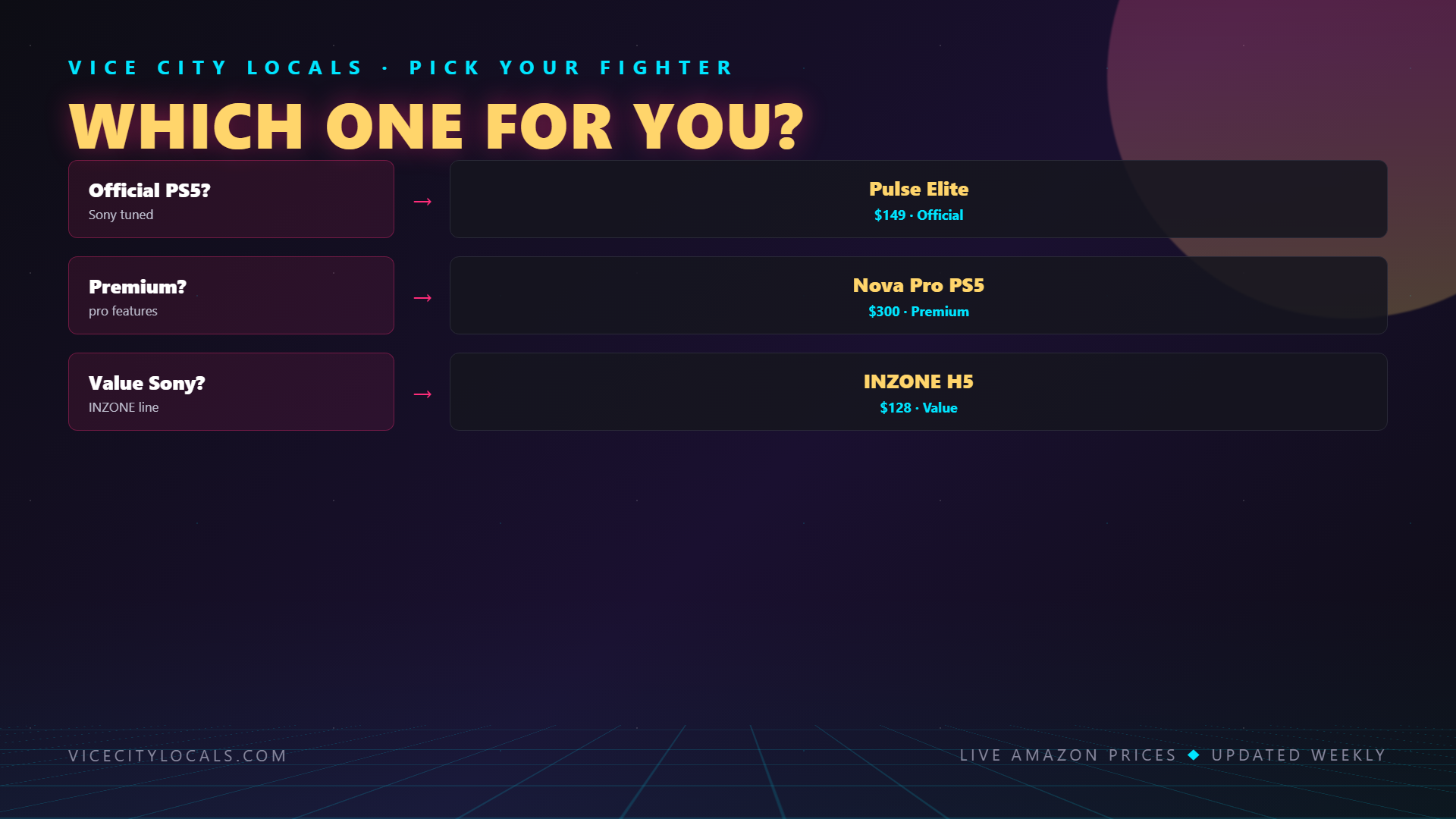
- Want the best PS5-native sound? → Sony Pulse Elite (planar magnetic + Tempest-optimized)
- Want premium everything? → SteelSeries Arctis Nova Pro Wireless (PS5)
- Want lightweight comfort + PS5 tuning? → Sony INZONE H5
- On a budget? → Sony Pulse 3D
Whatever you pick, make sure to enable 3D Audio in your PS5 settings. It’s free, it’s powerful, and it transforms how Vice City sounds. Don’t leave it off.
Your PS5 is ready. Vice City is calling. Let Tempest do the rest.
Want GTA 6 news the second it drops? Join the Locals — our free newsletter. No spam, unsubscribe anytime.