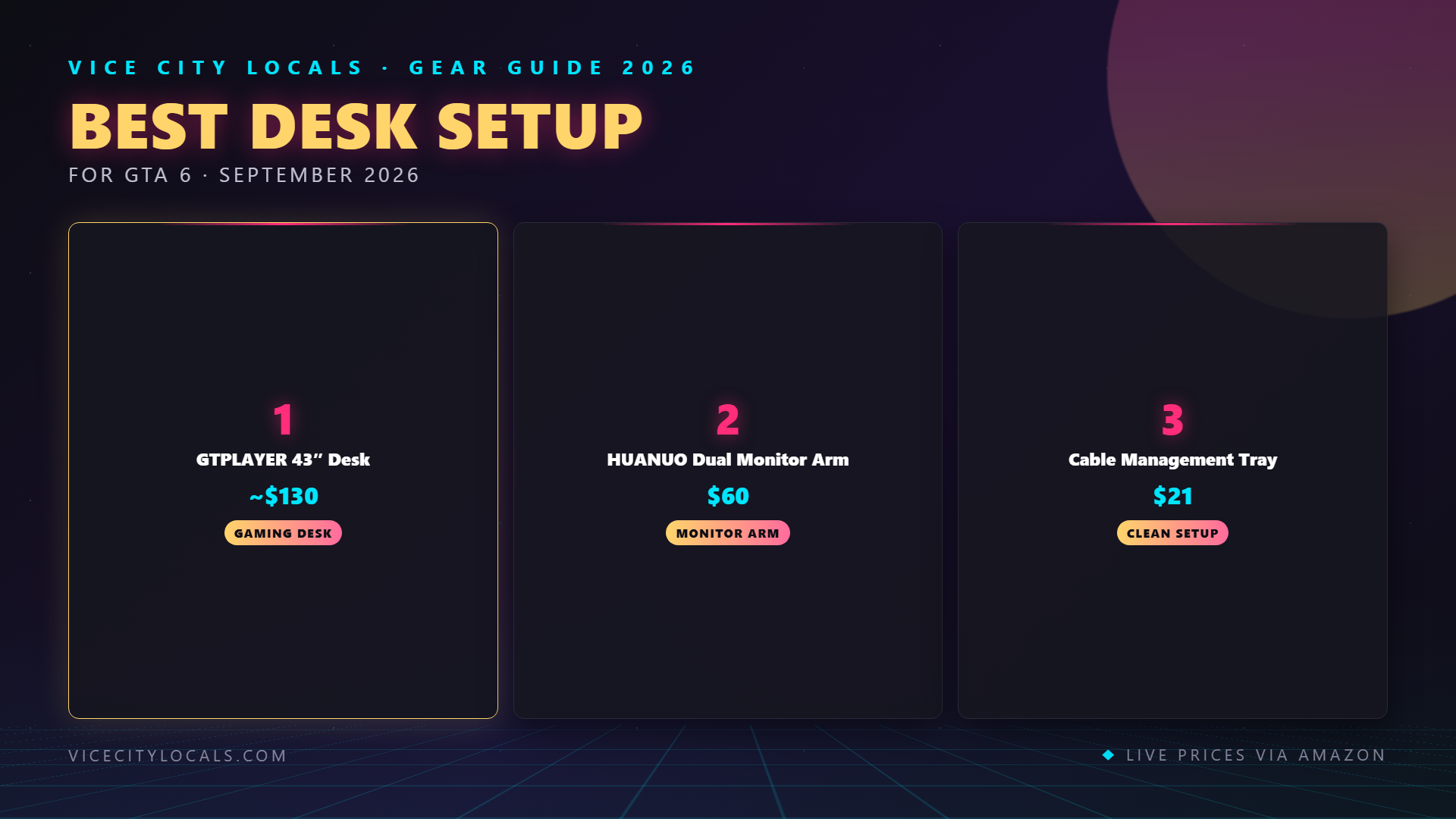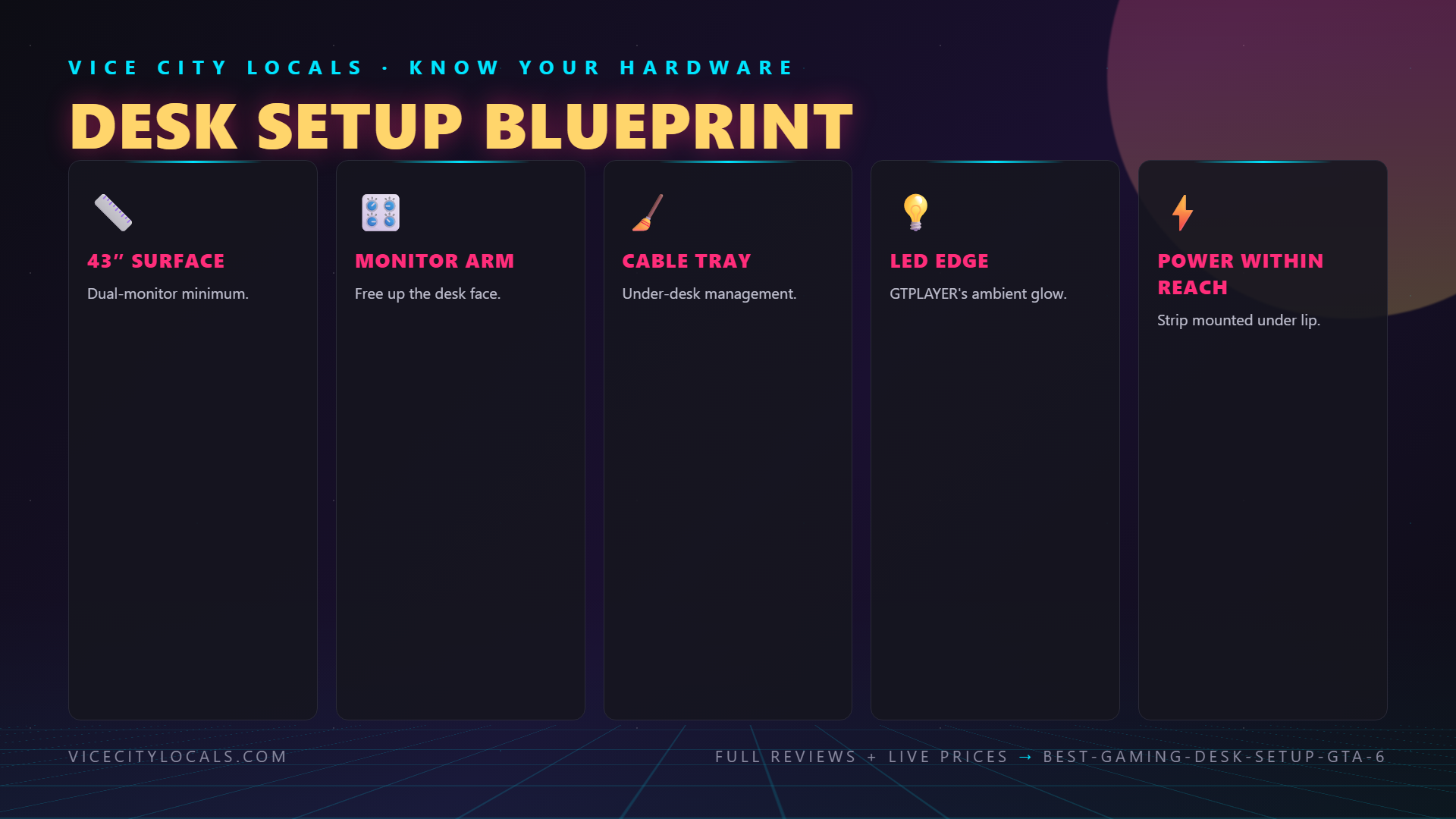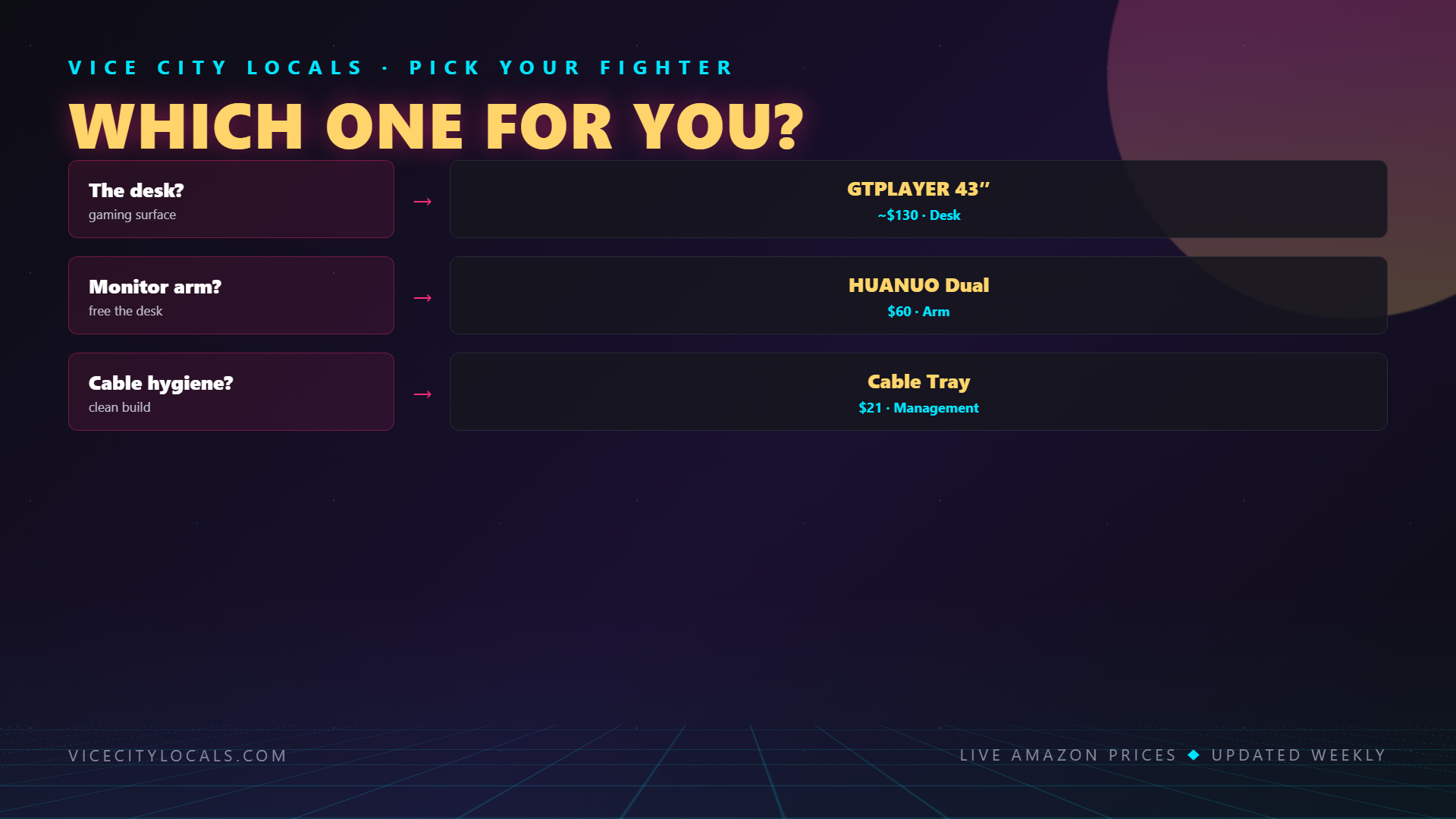
Best Gaming Desk Setup for GTA 6 — 2026
Last Updated: September 2026
Related GTA 6 Guides
- Best Gaming Chair for GTA 6
- Best Budget Gaming Chair
- Best Gaming Monitor for GTA 6
- Best GTA 6 Streaming Setup Overall
Disclosure: As an Amazon Associate, Vice City Locals earns from qualifying purchases. We may earn a commission if you click links and make a purchase, at no additional cost to you.
GTA 6 isn’t just a game — it’s an event. When Vice City opens its doors on November 19, 2026, you want your battle station dialed in perfectly. That means more than just a controller and a screen. The right desk setup elevates your entire experience: proper ergonomics for marathon sessions, clean cable management so you’re not fighting a rat’s nest of wires, and ambient lighting that makes Leonida feel even more alive.
This guide covers everything you need for the ultimate GTA 6 desk setup — from the desk itself to monitor arms, cable management, and lighting. We’ll also cross-reference our other guides so you can build out each component piece by piece.
The Foundation: Choosing Your Gaming Desk
Your desk is the backbone of your entire setup. It needs to be wide enough for your TV/monitor, deep enough for comfortable viewing distance, and sturdy enough to support everything you put on it.
What to Look For in a Gaming Desk
| Factor | Recommendation | Why It Matters |
|---|---|---|
| Width | 47″ minimum, 60″ ideal | Room for dual monitors, speakers, accessories |
| Depth | 24″ minimum, 30″ ideal | Proper screen distance, space for keyboard/controller |
| Surface Material | Carbon fiber, wood, or tempered glass | Durability and aesthetics |
| Weight Capacity | 100+ lbs | Supports large monitors, speakers, and accessories |
| Cable Management | Built-in grommets or trays | Keeps wires out of sight |
| Height | Standard 29-30″ (or adjustable) | Ergonomic comfort for long sessions |
| Features | Cup holder, headphone hook, controller stand | Convenience during GTA 6 marathons |
Our Desk Recommendations

The gaming desk market is enormous, and the best choice depends on your room size, budget, and whether you’re gaming at a desk with a monitor or using your desk as a secondary station (charging controllers, holding snacks, streaming equipment) while you play on a TV.
For GTA 6 specifically, consider:
- L-shaped desks if you want space for both a TV console setup and a PC/streaming rig
- Standing desks (electric adjustable) if you want to alternate between sitting and standing during long sessions
- Standard rectangular gaming desks for most players — simple, effective, and affordable
👉 Browse top-rated gaming desks →
Monitor Arm: Free Up Space and Find Perfect Angles
If you’re using a monitor for GTA 6 (either via console-to-monitor setup or streaming), a monitor arm is one of the most impactful upgrades you can make.
Why a Monitor Arm?
| Without Arm | With Monitor Arm |
|---|---|
| Fixed position | Full tilt, swivel, height, and rotation adjustment |
| Bulky monitor base wastes desk space | Frees up 50-75% of desk surface |
| Can’t adjust for different sitting positions | Micro-adjust for gaming vs. streaming vs. work |
| Cable routing is messy | Built-in cable management channel |
A good monitor arm lets you position your screen at the perfect height and angle — reducing neck strain during those inevitable 6-hour GTA 6 sessions. It also clears valuable desk real estate for your controller charging dock, snacks, and drink.
Our Pick

Look for: – Gas spring mechanism for smooth, tool-free height adjustment – VESA compatibility (75x75mm and 100x100mm covers 99% of monitors) – Weight capacity that exceeds your monitor’s weight – Desk clamp or grommet mount (clamp is easier; grommet is more secure) – Cable management built into the arm
Cable Management: The Unsung Hero
Nothing kills the vibe of a clean gaming setup faster than a tangled mess of cables. Power cables, HDMI cables, controller charging cables, headset cables, speaker wires — they multiply like weeds.
Cable Management Essentials
Shop Cable Management Solutions →

Here’s what you need for a clean GTA 6 battle station:
| Solution | What It Does | Best For |
|---|---|---|
| Under-desk cable tray | Routes all cables under the desk surface | Power strips, thick cables |
| Adhesive cable clips | Secures individual cables along desk edges | HDMI, USB, controller cables |
| Cable sleeves | Bundles multiple cables into one clean wrap | Behind desk, behind TV |
| Velcro cable ties | Reusable, adjustable bundling | Cable runs, excess cable |
| Cable management box | Hides ugly power strips and adapters | Floor-level cable clutter |
| Desk grommet covers | Clean cable pass-through | Desks with built-in holes |
Cable Management Tips
- Start from the power source — Position your power strip or surge protector first, then route cables outward
- Measure before cutting — Leave 6-12 inches of slack for adjustments
- Separate power and data — Keep power cables away from HDMI/audio cables to prevent interference
- Use the right ties — Velcro for things you’ll adjust; zip ties for permanent runs
- Label everything — Trust us, future-you will thank past-you when rearranging
Lighting: Set the Vice City Mood
GTA 6’s Vice City is a neon-soaked, sun-drenched paradise. Your desk lighting should complement that vibe without washing out your screen.
Lighting Layers for a Gaming Setup
| Layer | Purpose | Recommendation |
|---|---|---|
| Ambient (bias) lighting | Reduces eye strain behind the screen | LED strip behind monitor/TV |
| Task lighting | Illuminates desk surface for finding items | Small desk lamp or under-shelf LED |
| Accent lighting | Creates mood and atmosphere | RGB strips under desk, behind desk, or on shelves |
| Smart lighting | Syncs with games or music | Philips Hue, Govee, or Nanoleaf panels |
For GTA 6, we recommend warm pink and purple tones to match Vice City’s iconic aesthetic. Smart lighting that pulses with in-game audio or screen content adds an extra layer of immersion.
The Complete GTA 6 Desk Setup Checklist
Here’s everything you need for the ultimate GTA 6 battle station:
Core Setup
- [ ] Gaming Desk — Shop desks →
- [ ] Monitor Arm (if using a monitor) — Shop monitor arms →
- [ ] Cable Management Kit — Shop cable management →
- [ ] LED Lighting — RGB strips for ambient glow
Peripherals (See Our Detailed Guides)
- [ ] Gaming Controller — See our Best Controller for GTA 6 guide
- [ ] Gaming Headset — See our Best Headset for GTA 6 guide
- [ ] Gaming Monitor/TV — See our Best TV/Monitor for GTA 6 guide
- [ ] Gaming Chair — See our Best Gaming Chair for GTA 6 guide
Accessories
- [ ] Controller charging station — Always charged for launch night
- [ ] Headphone stand — Keep your headset safe and accessible
- [ ] Surge protector — Protect your investment
- [ ] Cup holder — Hydration is key during marathons (keep it away from electronics!)
Build Budget vs. Premium Desk Setup
| Component | Budget Option | Premium Option |
|---|---|---|
| Desk | Basic $80-120 gaming desk | Electric standing desk ($300-500) |
| Monitor Arm | Fixed gas spring arm ($30) | Dual-monitor articulating arm ($80+) |
| Cable Management | Adhesive clips + velcro ties ($15) | Full under-desk tray system ($40+) |
| Lighting | Basic LED strip ($15) | Smart RGB ecosystem ($100+) |
| Total | ~$140-165 | ~$500-700+ |
FAQ
Do I need a special desk for GTA 6?
No — any sturdy desk works. But gaming-specific desks offer features like built-in cable management, cup holders, headphone hooks, and controller stands that make marathon sessions more convenient.
Can I use a gaming desk with a TV instead of a monitor?
Absolutely. Many GTA 6 players will game on a TV. Your desk can serve as a secondary station for a streaming monitor, controller charging, accessories, and snacks while you play on the TV.
Is a monitor arm worth it?
If you’re using a monitor, yes — it’s one of the best value upgrades you can make. It frees up desk space, allows perfect positioning, and reduces neck strain. For $30-50, it’s a no-brainer.
How much should I spend on cable management?
$15-30 gets you everything you need: adhesive clips, velcro ties, a cable sleeve, and maybe an under-desk tray. You don’t need to spend a fortune — just be systematic about routing.
What lighting color matches Vice City?
Think neon pink, warm purple, golden sunset orange, and teal — these mirror Vice City’s iconic Art Deco and beachside neon aesthetic. Smart RGB strips let you switch between them.
Final Thoughts
Your GTA 6 desk setup is the command center for your entire Vice City adventure. A great desk, clean cable management, perfect monitor positioning, and immersive lighting come together to create an experience that’s greater than the sum of its parts.
Start building your setup today:
Then complete your setup with our other guides: – Best Controller for GTA 6 – Best Headset for GTA 6 – Best TV/Monitor for GTA 6 – Best Gaming Chair for GTA 6
Get your battle station ready — Vice City is calling on November 19, 2026.
Vice City Locals is a fan site and is not affiliated with Rockstar Games or Take-Two Interactive.
Want GTA 6 news the second it drops? Join the Locals — our free newsletter. No spam, unsubscribe anytime.