FTC Disclosure: Vice City Locals is reader-supported. When you buy through links on this site, we may earn an affiliate commission at no extra cost to you. All opinions are our own.
Best Gaming Monitor for GTA 6 — 2026
Last Updated: September 2026
Not everyone wants to play GTA 6 on a 65″ TV. Maybe you have a desk setup. Maybe you want the lowest possible input lag for competitive online modes. Maybe you want OLED performance without OLED TV prices. Whatever your reason, a gaming monitor can be a better choice than a TV for GTA 6 — and in 2026, OLED gaming monitors have reached a level of performance and affordability that makes them genuinely compelling.
This guide covers the best gaming monitors for GTA 6 on PS5, Xbox Series X, and PC. When Vice City drops on November 19, 2026, these are the displays that deliver the fastest, sharpest, most responsive experience.
Why a Monitor Instead of a TV?
The Monitor Advantage
| Advantage | Details |
|---|---|
| Lower Input Lag | Gaming monitors typically have 1–3ms input lag vs. 5–10ms on TVs |
| Desk Setup | Perfect for PC gamers, dorm rooms, and bedroom setups |
| Competitive Edge | Lower latency + higher refresh rates = advantage in GTA Online |
| OLED Affordability | A 27″ OLED monitor costs $600–800; a 65″ OLED TV costs $1,800+ |
| Higher Refresh Rates | Monitors offer 240Hz, 360Hz, even 540Hz — far beyond TV panels |
| Pixel Density | 27″ 4K has massive PPI (pixels per inch) — sharper than any TV |
| Flexibility | Easy to switch between PS5, Xbox, and PC with a monitor with multiple inputs |
When a TV Is Still Better
| Scenario | Why a TV Wins |
|---|---|
| Living room gaming | Couch + 65″+ screen = immersive open-world experience |
| Split-screen / local co-op | TVs are bigger for shared viewing |
| Home theater use | Better built-in audio and smart TV features |
| Bright rooms | Large TVs (especially Mini-LED) get brighter than monitors |
The bottom line: monitors win for performance and desk setups; TVs win for living room immersion. If you’re a desk gamer or competitive player, this guide is for you.
Console Gaming: 1440p vs 4K
One of the biggest questions for console gamers choosing a monitor is resolution. Here’s the breakdown:
1440p (2560 × 1440) — The Console Sweet Spot
- Both PS5 and Xbox Series X support 1440p output
- Most 1440p gaming monitors offer higher refresh rates (240Hz, 360Hz) than 4K monitors
- 1440p at 27″ has excellent pixel density (~109 PPI)
- Xbox Series X supports 1440p@120Hz natively — and many games perform better at 1440p than 4K
- PS5 added 1440p support via firmware update
Verdict: 1440p is the best choice for performance-focused console gamers. You get higher frame rates, lower latency, and excellent image quality at desk-viewing distances.
4K (3840 × 2160) — Maximum Detail
- PS5 and Xbox Series X both support 4K@120Hz
- 4K at 27″–32″ has incredible pixel density — far sharper than any 4K TV
- Lower refresh rates than 1440p (typically 240Hz max on OLED)
- More demanding on console hardware — GTA 6 may not maintain 120fps at 4K
Verdict: 4K is the best choice for visual purists who want maximum detail and don’t mind lower frame rates. If GTA 6 targets 4K@60fps in quality mode, a 4K monitor delivers the sharpest possible image.
Our Recommendation
- For competitive GTA Online: 1440p 360Hz OLED (Alienware AW2725DF)
- For immersive single-player: 4K 240Hz OLED (ASUS ROG Swift OLED or Gigabyte M27U2)
- For budget desk gaming: 4K OLED value (Gigabyte M27U2)
Top Gaming Monitors for GTA 6
Comparison Table
| Monitor | Panel | Resolution | Refresh Rate | Price | Best For |
|---|---|---|---|---|---|
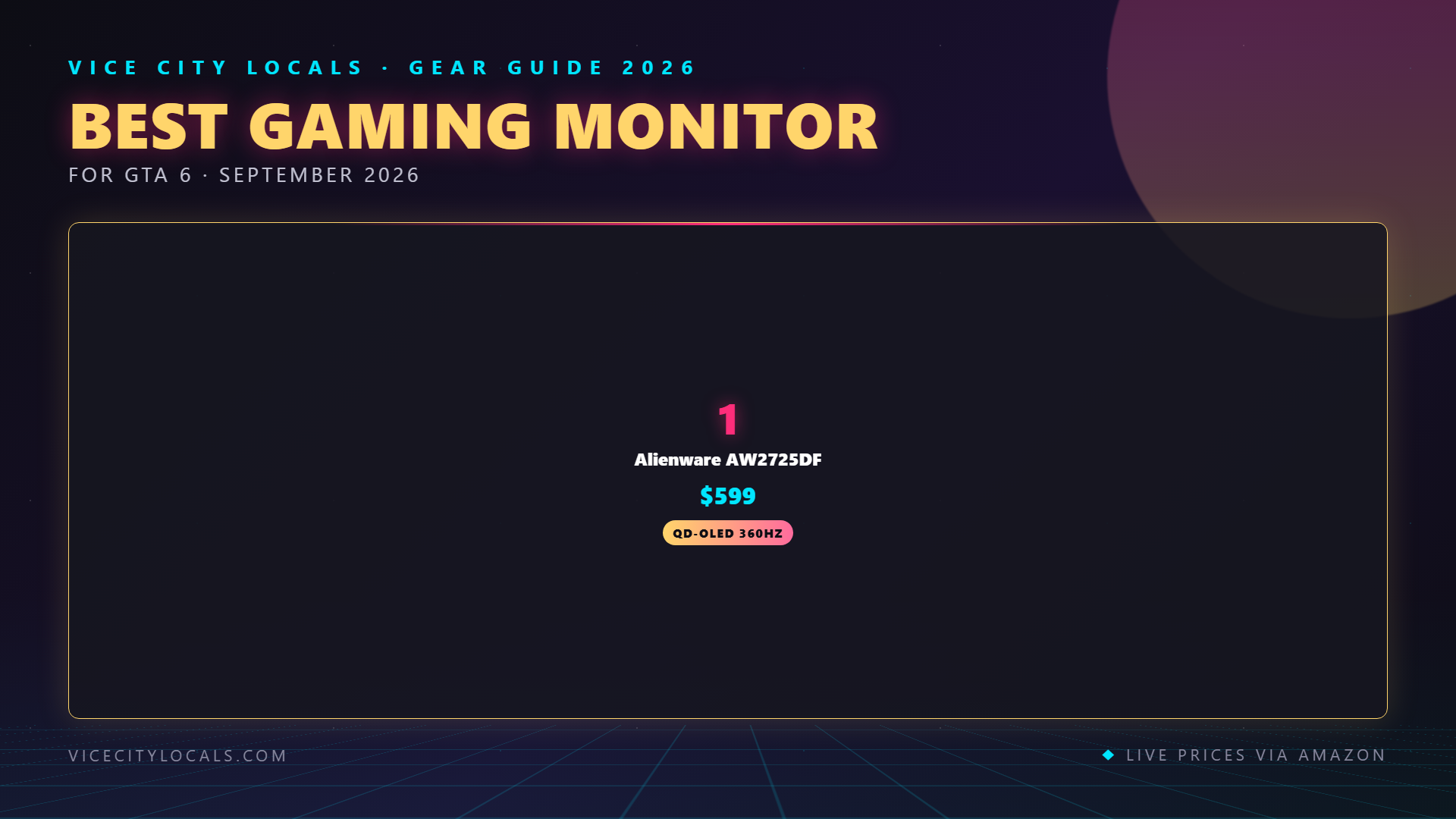
| Alienware AW2725DF | QD-OLED | 1440p | 360Hz | ~$625 | Best overall OLED |
| ASUS ROG Swift OLED PG27UCDM | QD-OLED | 4K | 240Hz | ~$1,200 | Best 4K gaming |
| Gigabyte M27U2 | OLED | 4K | 240Hz | ~$650 | Best value 4K OLED |
| LG 27GX790B-B | WOLED | 1440p | 540Hz | ~$800 | Best competitive |
1. Alienware AW2725DF — Best Overall Gaming Monitor for GTA 6

The Alienware AW2725DF is the monitor we recommend to most GTA 6 players who prefer desk gaming. It combines a 27″ QD-OLED panel, 1440p resolution, and a blistering 360Hz refresh rate for around $625 — making it one of the best gaming monitor values on the market.
Why it’s #1:
Third-Generation QD-OLED Panel Dell/Alienware uses Samsung Display’s latest QD-OLED panel, which delivers the same quantum dot-enhanced OLED technology found in Samsung’s S90F TV — but in a 27″ desktop form factor. You get OLED’s perfect blacks, infinite contrast, and instant pixel response, plus QLED’s vibrant color volume.
360Hz Refresh Rate 360Hz is far beyond what any TV offers. While GTA 6 won’t run at 360fps on a console, a 360Hz panel delivers the lowest possible input lag and the smoothest motion available. Every frame is processed faster, every input registers sooner. For GTA Online competitive play, this is a genuine advantage.
1440p — The Console Sweet Spot 1440p at 27″ is the ideal resolution for console desk gaming. Both PS5 and Xbox Series X support 1440p output, and at desk-viewing distances (2–3 feet), 1440p looks razor-sharp. You also get higher frame rates than 4K, since the console has fewer pixels to render.
Console Compatibility: – PS5: Supports 1440p@120Hz ✅ – Xbox Series X: Supports 1440p@120Hz ✅ (Xbox has the best 1440p support) – PC: Supports 1440p@360Hz ✅
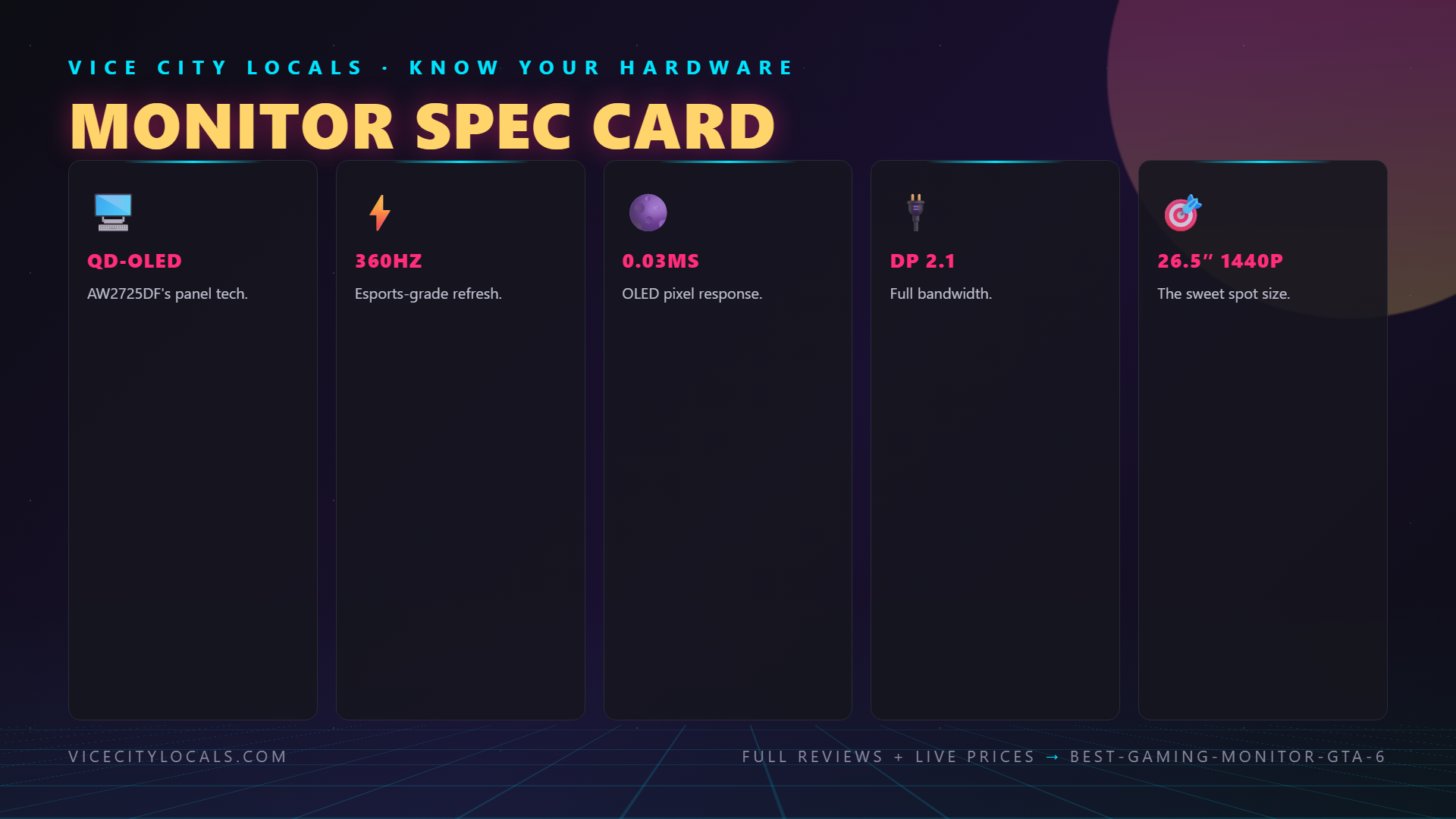
Key Specs: – 27″ QD-OLED panel – 2560 × 1440 resolution – 360Hz refresh rate – 0.03ms response time (instant, OLED-level) – DisplayPort 1.4 + 2× HDMI 2.1 – USB-C with 90W power delivery – ~$625
Trade-offs: – 1440p, not 4K — if you want maximum pixel density, this isn’t it – Glossy screen coating — can reflect room lights (QD-OLED characteristic) – No built-in speakers — you’ll need external audio or a headset
For most desk gamers, the Alienware AW2725DF is the best all-around gaming monitor for GTA 6. QD-OLED quality, 360Hz performance, and $625 pricing make it an unbeatable value.
2. ASUS ROG Swift OLED PG27UCDM — Best 4K Gaming Monitor
The ASUS ROG Swift OLED PG27UCDM is the premium 4K OLED gaming monitor. At 32″ with 4K resolution and a 240Hz refresh rate, it delivers the sharpest, most detailed GTA 6 image you can get on a desk — but at a premium price of approximately $1,200.
Why it’s the 4K king:
32″ 4K OLED — Maximum Detail At 32″ and 4K (3840 × 2160), the PG27UCDM delivers a pixel density of ~138 PPI — far sharper than any TV. GTA 6’s textures, draw distance, and fine details will look more crisp and defined than on any other display type. For single-player immersion, nothing beats it.
240Hz Refresh Rate 240Hz is exceptional for a 4K OLED. While you won’t hit 240fps in GTA 6 on a console, the high refresh rate ensures the lowest possible input lag and smoothest motion processing.
QD-OLED Panel Like the Alienware AW2725DF, the PG27UCDM uses Samsung’s QD-OLED technology. You get perfect blacks, infinite contrast, instant pixel response, and quantum dot-enhanced color.
Premium ROG Features ASUS’s ROG line includes premium extras: a built-in KVM switch, USB hub, customizable RGB lighting, and ASUS’s excellent monitor OSD (on-screen display).
Key Specs: – 32″ QD-OLED panel – 3840 × 2160 (4K) resolution – 240Hz refresh rate – 0.03ms response time – DisplayPort 1.4 + HDMI 2.1 – USB-C with KVM – ~$1,200
Trade-offs: – Expensive — at $1,200, it costs more than some OLED TVs – 32″ is large for a desk — make sure you have enough depth – Overkill for console gaming — 4K@240Hz is more relevant for high-end PC gaming
If you want the absolute best 4K image quality for GTA 6 and don’t mind the price, the ASUS ROG Swift OLED PG27UCDM is the premium pick.
3. Gigabyte M27U2 — Best Value 4K OLED Monitor
The Gigabyte M27U2 brings 4K OLED gaming to the masses. At approximately $650, you get a 27″ OLED panel with 4K resolution and 240Hz refresh rate — specs that compete with the ASUS ROG Swift for nearly half the price.
Why it’s the value champion:
4K OLED for $650 The M27U2 is the most affordable 4K OLED gaming monitor available. It uses a high-quality OLED panel (likely sourced from LG Display) that delivers the same perfect blacks, infinite contrast, and instant response as more expensive OLED monitors.
240Hz at 4K 240Hz at 4K resolution is remarkable at $650. This refresh rate ensures minimal input lag and smooth motion, even when GTA 6 pushes your console to its limits.
27″ — Ideal Desk Size At 27″, the M27U2 is the perfect size for desk gaming. 4K at 27″ has a pixel density of ~163 PPI — incredibly sharp, even compared to the 32″ PG27UCDM. Text, textures, and fine details all look pristine.
Gigabyte’s Gaming Features Gigabyte includes practical gaming features: a built-in KVM switch, multiple input options, OSD Sidekick software for settings management, and classic tactical features (crosshair overlay, timer, etc.).
Key Specs: – 27″ OLED panel – 3840 × 2160 (4K) resolution – 240Hz refresh rate – 0.03ms response time – DisplayPort 1.4 + HDMI 2.1 – KVM switch – ~$650
Trade-offs: – WOLED, not QD-OLED — slightly lower color volume and peak brightness than Samsung/Dell QD-OLED panels – Gigabyte’s OSD — functional but not as polished as ASUS’s ROG OSD – No USB-C power delivery — less convenient for laptop users
The Gigabyte M27U2 is the smartest purchase in 4K OLED gaming monitors. If you want maximum detail and OLED quality without spending $1,200, this is your monitor.
4. LG 27GX790B-B — Best Competitive Monitor (540Hz)
For the most competitive GTA Online players, the LG 27GX790B-B offers an absurd 540Hz refresh rate on a 27″ WOLED panel. At approximately $800, it’s the fastest OLED gaming monitor available.
Why it’s the competitive pick:
540Hz WOLED Panel 540Hz is the highest refresh rate available on any OLED monitor. For competitive GTA Online, where every millisecond of input lag matters, this is the ultimate advantage. Even if GTA 6 doesn’t run at 540fps, the panel processes frames faster and delivers lower latency than any TV or lower-refresh monitor.
WOLED Technology LG’s WOLED panel delivers perfect blacks, infinite contrast, and excellent motion clarity. It’s slightly dimmer than QD-OLED in HDR highlights, but the difference is minor for gaming purposes.
1440p — Competitive Standard Like the Alienware AW2725DF, the 27GX790B-B runs at 1440p — the competitive gaming standard. 1440p allows higher frame rates than 4K, and at 27″, it’s sharp enough for any desk setup.
Key Specs: – 27″ WOLED panel – 2560 × 1440 resolution – 540Hz refresh rate – 0.03ms response time – DisplayPort 1.4 + HDMI 2.1 – ~$800
Trade-offs: – Overkill for most players — 540Hz is primarily relevant for esports (CS2, Valorant, etc.) – 1440p, not 4K — less detail than 4K monitors – Niche appeal — most GTA 6 players won’t benefit from 540Hz
If you’re a hardcore competitive player who also plays GTA Online, the LG 27GX790B-B is the ultimate edge.
Console Monitor Setup Guide
PS5 Monitor Settings
- Settings → Screen and Video → Video Output
- Set Resolution to match your monitor (2160p for 4K, 1440p for 1440p)
- Enable 120Hz Output → Automatic
- Enable HDR → On or Automatic
- Enable VRR → Automatic
- Set Color Depth to Automatic
Xbox Series X Monitor Settings
- Settings → General → TV & display options
- Set Video fidelity to match your monitor
- Enable Allow 4K or 1440p
- Enable Variable refresh rate → Always on
- Enable 120Hz if available
- Enable Auto HDR
Monitor Settings for GTA 6
- Enable Game Mode or equivalent low-latency mode
- Set Response Time to Fast or Highest (OLED: always instant)
- Disable any image processing / motion smoothing
- Set Color Space to Full RGB or Automatic
- Enable HDR when a HDR signal is detected
- Set Black Equalizer to taste (can help see darker areas in GTA 6)
FAQ
Q: Can I use a gaming monitor with PS5 and Xbox Series X?
A: Yes. Both consoles support external monitors via HDMI. Just make sure your monitor has HDMI 2.1 ports for 4K@120Hz. For 1440p@120Hz, HDMI 2.0 is sufficient. Both Alienware AW2725DF and Gigabyte M27U2 include HDMI 2.1 ports.
Q: Is OLED burn-in a concern for gaming monitors?
A: Modern OLED monitors (2025–2026 models) include burn-in prevention: pixel shifting, screen savers, brightness limiting, and panel-level compensation cycles. For gaming use (which involves varied content), burn-in risk is extremely low. Most manufacturers also offer 2–3 year warranties that cover burn-in.
Q: Should I choose 1440p or 4K for GTA 6?
A: For competitive GTA Online, choose 1440p (higher frame rates, lower latency). For immersive single-player, choose 4K (maximum detail). If you’re undecided, the Alienware AW2725DF (1440p 360Hz) is the safer pick — it offers better performance and is cheaper.
Q: Do I need a soundbar with a gaming monitor?
A: Most gaming monitors have weak built-in speakers or no speakers at all. For GTA 6’s audio (especially if you appreciate Vice City’s radio stations and ambient sound), we recommend a dedicated gaming headset or a budget soundbar. The PS5’s 3D Audio works great with compatible headsets.
Q: Is a 27″ monitor too small for GTA 6?
A: At desk-viewing distances (2–3 feet), 27″ is ideal — it fills your field of view and provides excellent immersion. For couch gaming, a monitor is too small; use a TV instead. The 32″ ASUS ROG Swift is a middle ground if you sit 3–4 feet away.
Final Thoughts
Gaming monitors offer something TVs can’t: the lowest possible input lag, the highest refresh rates, and desktop-level pixel density. For desk gamers and competitive GTA Online players, a monitor is the right choice for GTA 6.
Here are our final picks:
- Best overall: Alienware AW2725DF — Check Price (QD-OLED 1440p 360Hz for $625 — unbeatable value)
- Best 4K gaming: ASUS ROG Swift OLED PG27UCDM (32″ 4K 240Hz — premium detail for $1,200)
- Best value 4K OLED: Gigabyte M27U2 (4K 240Hz OLED for $650 — the smartest 4K buy)
- Best competitive: LG 27GX790B-B (540Hz WOLED for the ultimate competitive edge)
For most players, the Alienware AW2725DF is the sweet spot: QD-OLED quality, 360Hz performance, and $625 pricing. It delivers a GTA 6 experience that rivals any TV, at a fraction of the cost of an OLED TV, with lower input lag and higher refresh rates.
Get your monitor, dial in your settings, and get ready. Vice City is coming on November 19, 2026 — and on a fast OLED monitor, it’s going to be absolutely stunning.
Related GTA 6 Guides
- Best TV for GTA 6 — Buying Guide
- Best OLED TV for GTA 6
- Best 120Hz TV — VRR & HDMI 2.1
- Best Gaming Desk Setup for GTA 6
Want GTA 6 news the second it drops? Join the Locals — our free newsletter. No spam, unsubscribe anytime.