Related GTA 6 Guides
- Best TV for GTA 6 — Buying Guide
- Best Mid-Range TV (Under $800)
- Best Budget TV (Under $500)
- Best OLED TV for GTA 6
FTC Disclosure: Vice City Locals is reader-supported. When you buy through links on this site, we may earn an affiliate commission at no extra cost to you. All opinions are our own.
Best 120Hz TV for GTA 6 — VRR & HDMI 2.1 Guide
Last Updated: September 2026
120Hz. VRR. HDMI 2.1. These three terms are thrown around constantly in TV marketing, but most buyers don’t fully understand what they mean — or why they matter so much for a game like GTA 6.
This guide is different from our other buying guides. Instead of focusing on panel types or price tiers, we’re doing a technical deep dive into the three specs that define next-gen console gaming: refresh rate, Variable Refresh Rate (VRR), and HDMI 2.1 bandwidth. We’ll explain exactly what each one does, how it affects your GTA 6 experience, and which TVs implement them best.
By the end of this guide, you’ll know exactly what to look for — and what to ignore — when shopping for a GTA 6 TV. When Vice City drops on November 19, 2026, you’ll be ready.
The Big Three: Refresh Rate, VRR, and HDMI 2.1
1. Refresh Rate — Why 120Hz Matters for GTA 6
What it is: The number of times per second your TV’s panel updates its image. 60Hz = 60 updates per second. 120Hz = 120 updates per second. 144Hz = 144 updates per second.
Why it matters for GTA 6:
GTA 6 is likely to offer multiple display modes on PS5 and Xbox Series X:
| Mode | Target Frame Rate | Resolution | Why You Need 120Hz |
|---|---|---|---|
| Quality Mode | 30fps | 4K with ray tracing | 120Hz panel has lower latency even at 30fps |
| Performance Mode | 60fps | 4K (or dynamic) | 120Hz panel delivers smoother motion at 60fps |
| Performance Pro Mode (possible) | 120fps | 1080p–1440p upscaled | 120Hz is REQUIRED for this mode |
Even if you play at 60fps, a 120Hz TV benefits you: – Lower input lag — the panel processes frames faster, reducing the delay between your controller input and on-screen response – Smoother motion — each frame is displayed for less time (8.3ms at 120Hz vs 16.7ms at 60Hz), reducing motion blur – Better VRR performance — VRR works best when the panel’s refresh rate can match the game’s frame rate smoothly
The 144Hz Factor
In 2026, a growing number of TVs offer 144Hz refresh rates, up from the previous 120Hz standard. While no console game runs at 144fps, a 144Hz panel offers:
- Even lower input lag — frames are processed faster than on a 120Hz panel
- Future-proofing — if you ever connect a gaming PC, 144Hz unlocks high frame rate gaming
- Better frame pacing — the panel can more evenly space out frames when the game runs at variable frame rates
Bottom line: 120Hz is the minimum for GTA 6. 144Hz is a bonus that provides measurable latency improvements.
2. Variable Refresh Rate (VRR) — The Secret to Smooth Gameplay
What it is: VRR allows your TV’s refresh rate to dynamically match the game’s frame rate in real time. Instead of the TV refreshing at a fixed 60Hz or 120Hz, it adjusts — if the game drops to 55fps, the TV refreshes at 55Hz; if it jumps to 70fps, the TV refreshes at 70Hz.
Why it matters for GTA 6:
GTA 6 is an open-world game with massive, dynamic environments. Frame rates will fluctuate — explosions, dense traffic, weather effects, and complex scenes can all cause frame rate dips. Without VRR, these fluctuations cause:
- Screen tearing — horizontal lines where two frames don’t align
- Stuttering — uneven frame pacing makes movement feel jerky
- Input lag spikes — frame drops cause momentary control delays
With VRR, these problems essentially disappear. The TV matches whatever frame rate the game outputs, resulting in smooth, tear-free gameplay regardless of what’s happening on screen.
For GTA 6, VRR is arguably more important than a fixed high frame rate. The difference between VRR-off and VRR-on in a demanding open-world game is night and day.
VRR Technologies Explained: FreeSync vs HDMI Forum VRR vs G-Sync
There are three major VRR technologies, and understanding the differences is critical:
| Technology | Platform | How It Works | TVs That Support It |
|---|---|---|---|
| FreeSync | Xbox Series X | AMD’s VRR via HDMI | Samsung, LG, TCL, Hisense |
| FreeSync Premium Pro | Xbox Series X | FreeSync + low-latency HDR | Samsung (best implementation) |
| HDMI Forum VRR | PS5, Xbox, PC | VRR via HDMI 2.1 standard | Most HDMI 2.1 TVs |
| G-Sync Compatible | PC (NVIDIA) | NVIDIA’s VRR standard | LG, Samsung (some models) |
FreeSync (Xbox’s Native VRR)
Best for: Xbox Series X players
FreeSync is AMD’s VRR technology. The Xbox Series X (which uses AMD graphics) natively supports FreeSync, making it the most optimized VRR path for Xbox. When your TV supports FreeSync, the Xbox communicates directly with the panel for tear-free, low-latency gaming.
FreeSync Premium Pro goes further: it guarantees low-latency HDR processing alongside VRR. This means HDR adds no extra input delay — critical for fast-paced GTA 6 gameplay. Samsung TVs have the best FreeSync Premium Pro implementation.
HDMI Forum VRR (PS5’s Native VRR)
Best for: PS5 players
HDMI Forum VRR is the VRR standard built into the HDMI 2.1 specification. The PS5 uses this for its VRR support. It works well — preventing screen tearing and smoothing frame delivery — but doesn’t have FreeSync Premium Pro’s guaranteed low-latency HDR processing.
Most 2026 HDMI 2.1 TVs support HDMI Forum VRR, so this is widely compatible. LG and Samsung both offer excellent implementations.
G-Sync Compatible (PC Gaming)
Best for: PC gamers with NVIDIA GPUs
G-Sync is NVIDIA’s VRR technology. If you connect a gaming PC with an NVIDIA GPU to your TV, G-Sync Compatible mode provides tear-free gaming. LG and Samsung TVs are G-Sync Compatible certified.
Not relevant for console-only players, but worth noting if you also PC game.
Which VRR Matters Most for You?
| Your Platform | Best VRR Technology | Best TVs for That VRR |
|---|---|---|
| Xbox Series X | FreeSync Premium Pro | Samsung S90F (best), TCL QM6K |
| PS5 | HDMI Forum VRR | LG C5 (best), Samsung S90F, TCL QM6K |
| PC (NVIDIA) | G-Sync Compatible | LG C5, Samsung S90F |
| PC (AMD) | FreeSync | Samsung S90F, TCL QM6K |
| Multiple platforms | Get a TV that supports ALL | Samsung S90F, TCL QM6K |
3. HDMI 2.1 — The Bandwidth Backbone
What it is: HDMI 2.1 is the latest HDMI standard, offering 48 Gbps bandwidth — more than double the 18 Gbps of HDMI 2.0. This bandwidth is what enables 4K@120Hz, VRR, and other next-gen gaming features.
Why it matters for GTA 6:
| Feature | HDMI 2.0 (18 Gbps) | HDMI 2.1 (48 Gbps) |
|---|---|---|
| 4K@60Hz | ✅ | ✅ |
| 4K@120Hz | ❌ | ✅ |
| VRR | ❌ (limited) | ✅ |
| eARC | ❌ | ✅ |
| ALLM | Limited | ✅ |
| 8K@60Hz | ❌ | ✅ |
HDMI 2.0 caps at 4K@60Hz. If your TV only has HDMI 2.0, you will NOT be able to play GTA 6 at 4K@120Hz — regardless of what your console outputs. The TV will downscale to 4K@60Hz, and you lose the benefits of 120Hz gaming.
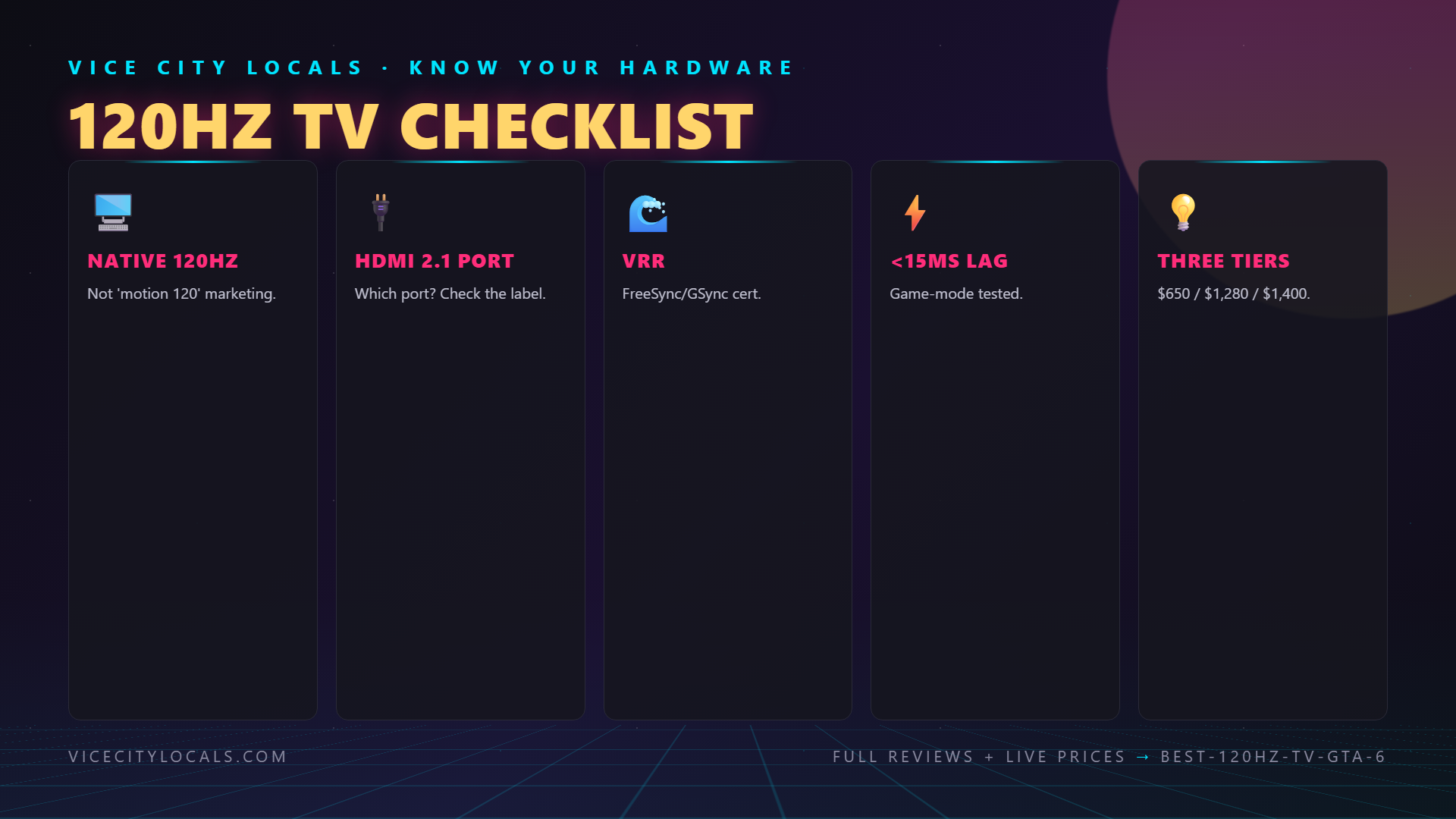
HDMI 2.1 is non-negotiable for GTA 6. If your TV doesn’t have at least one HDMI 2.1 port, you’re leaving performance on the table.
How Many HDMI 2.1 Ports Do You Need?
| Setup | Minimum HDMI 2.1 Ports |
|---|---|
| Console only | 1 |
| Console + Soundbar (eARC) | 2 |
| PS5 + Xbox + Soundbar | 3 |
| PS5 + Xbox + PC + Soundbar | 4 |
Most premium TVs (Samsung S90F, LG C5) offer 4 HDMI 2.1 ports. Budget and mid-range TVs may only offer 1–2. Check the spec sheet carefully — some TVs label ports “HDMI 2.1” but only offer full 48 Gbps bandwidth on specific ports.
Top 120Hz TVs for GTA 6 (Best VRR Implementations)
Comparison Table
| TV | Refresh Rate | VRR Technologies | HDMI 2.1 Ports | Price (65″) |
|---|---|---|---|---|
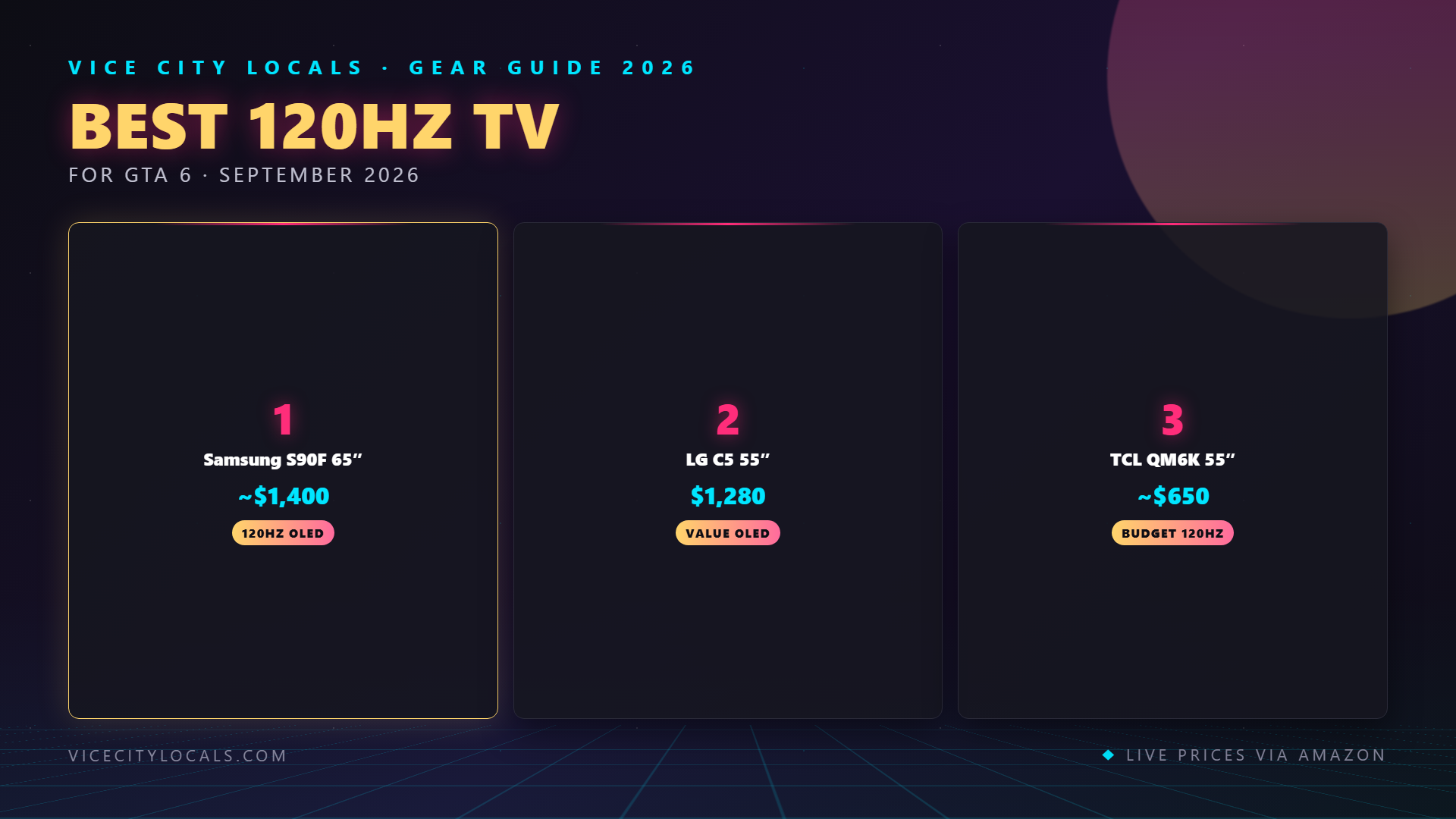
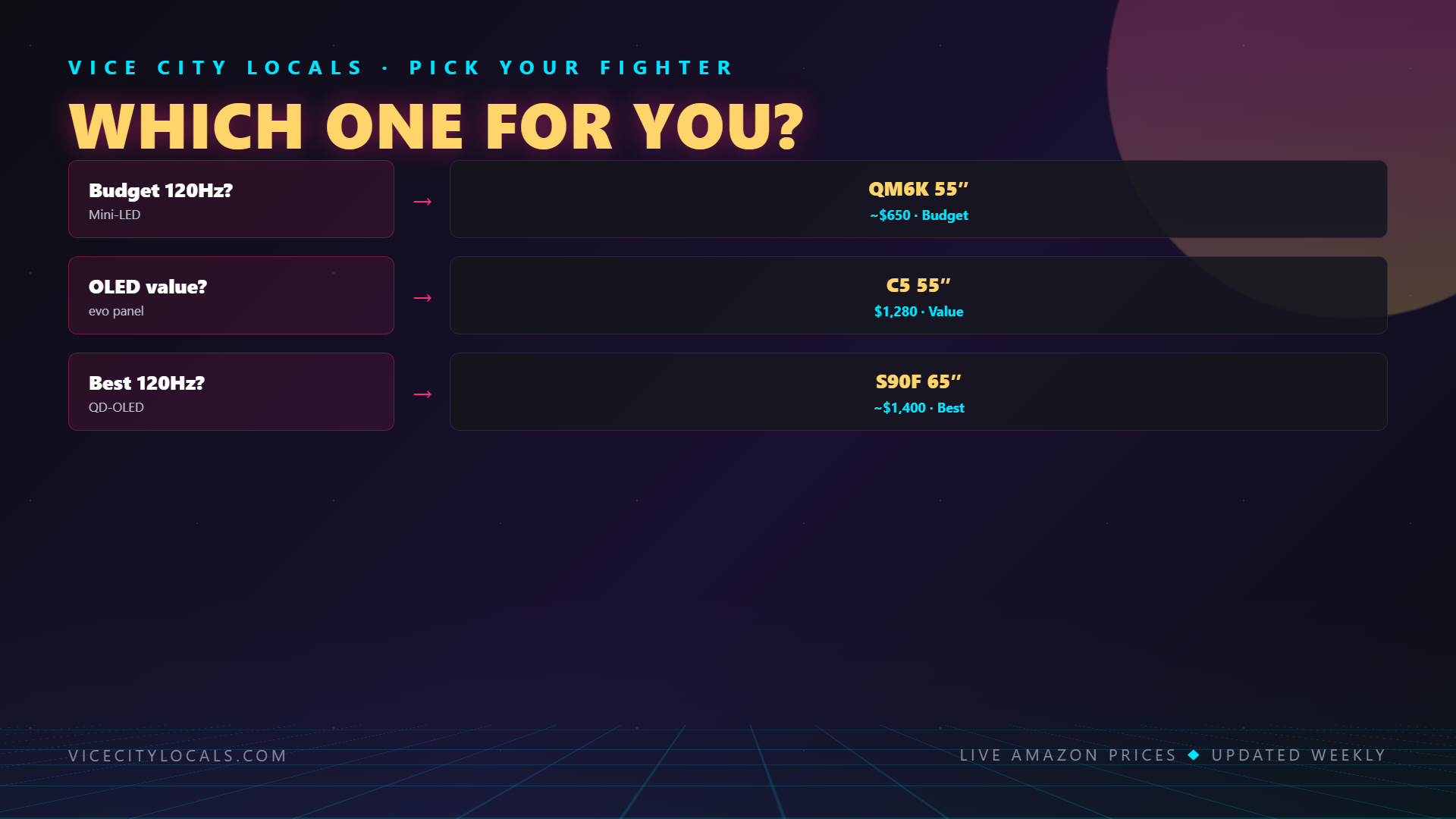
| Samsung S90F OLED | 144Hz | FreeSync Premium Pro + HDMI Forum VRR + G-Sync | 4 | ~$1,800 |
| LG C5 OLED | 120Hz | HDMI Forum VRR + G-Sync + FreeSync | 4 | ~$1,900 |
| TCL QM6K | 144Hz | FreeSync + HDMI Forum VRR | 2 (full bandwidth) | ~$650 |
1. Samsung S90F OLED — Best All-Around 144Hz TV

The Samsung S90F OLED has the best overall implementation of 120Hz/144Hz, VRR, and HDMI 2.1 of any TV we’ve tested. If you want the gold standard for technical gaming performance, this is it.
144Hz QD-OLED Panel The S90F’s 144Hz refresh rate is the highest available on a mainstream OLED TV. Combined with the instant pixel response of OLED (0.03ms), the S90F delivers the smoothest, cleanest motion of any TV on this list. For GTA 6’s high-speed driving and fast camera movements, this level of motion clarity is unmatched.
FreeSync Premium Pro — The Best VRR for Xbox The S90F has full FreeSync Premium Pro certification. This is the most advanced VRR implementation available for Xbox Series X — combining tear-free gaming with guaranteed low-latency HDR processing. No other VRR technology offers this combination.
HDMI Forum VRR — Also Supported The S90F also supports HDMI Forum VRR, making it equally excellent for PS5. This dual VRR support means the S90F works flawlessly with every platform.
4× HDMI 2.1 Ports (Full 48 Gbps Bandwidth) All four HDMI ports on the S90F are HDMI 2.1 with full 48 Gbps bandwidth. This is the best port configuration available — connect PS5, Xbox, PC, and a soundbar without compromising bandwidth on any device.
VRR Range: 48–144Hz The S90F’s VRR operates from 48Hz to 144Hz — the widest range of any TV on this list. This means VRR is active even when GTA 6’s frame rate dips to 48fps (which can happen in demanding scenes).
Key Specs: – 144Hz QD-OLED panel – FreeSync Premium Pro + HDMI Forum VRR + G-Sync Compatible – 4× HDMI 2.1 (full 48 Gbps) – VRR range: 48–144Hz – Input lag: ~6ms at 120Hz – 0.03ms pixel response time
2. LG C5 OLED — Best 120Hz VRR Implementation
Check Price (55″) | Check Price (65″)

The LG C5 is the best 120Hz OLED TV for VRR, with the most refined HDMI Forum VRR implementation of any WOLED panel.
120Hz WOLED with Excellent VRR The C5’s 120Hz panel is slightly lower than the Samsung S90F’s 144Hz, but its VRR implementation is exceptional. The C5 supports HDMI Forum VRR across a wide range (40–120Hz), and LG’s Game Optimizer mode provides fine-tuned control over VRR behavior.
Triple VRR Support (HDMI Forum VRR + G-Sync + FreeSync) Like the S90F, the C5 supports all three VRR technologies. This means it works optimally with PS5 (HDMI Forum VRR), Xbox (FreeSync), and PC (G-Sync or FreeSync). No matter what you connect, VRR works.
4× HDMI 2.1 Ports All four HDMI ports are HDMI 2.1 with full 48 Gbps bandwidth. LG’s implementation is notably reliable — no bandwidth throttling when multiple devices are connected.
Dolby Vision Gaming with VRR The C5 can run Dolby Vision gaming AND VRR simultaneously at 4K@120Hz. This is a PS5-specific advantage: you get dynamic HDR AND tear-free gaming at the same time.
Key Specs: – 120Hz WOLED panel – HDMI Forum VRR + G-Sync + FreeSync – 4× HDMI 2.1 (full 48 Gbps) – VRR range: 40–120Hz – Input lag: ~9ms at 120Hz – 0.03ms pixel response time
3. TCL QM6K — Best 144Hz VRR on a Budget

The TCL QM6K brings 144Hz and dual VRR support to the budget tier. At ~$500–650, no other TV offers this level of VRR and refresh rate performance per dollar.
144Hz Mini-LED Panel The QM6K’s 144Hz Mini-LED panel matches the Samsung S90F’s refresh rate at one-third the price. For GTA 6, this means lower input lag and smoother motion than standard 120Hz budget TVs.
FreeSync + HDMI Forum VRR The QM6K supports both FreeSync (Xbox) and HDMI Forum VRR (PS5). This dual VRR support is remarkable at this price — many budget TVs offer only one or the other (or neither).
HDMI 2.1 with Full Bandwidth The QM6K includes HDMI 2.1 ports with full 48 Gbps bandwidth on its gaming ports. TCL is transparent about which ports support 4K@120Hz, and the gaming ports deliver the full spec.
Key Specs: – 144Hz Mini-LED QLED panel – FreeSync + HDMI Forum VRR – 2× HDMI 2.1 (full 48 Gbps) – VRR range: 48–144Hz – Input lag: ~8–10ms at 120Hz – Game Accelerator mode
Trade-off: Only 2 full-bandwidth HDMI 2.1 ports (vs. 4 on Samsung/LG). If you have multiple next-gen devices, you may need an HDMI switch.
VRR Setup Guide for GTA 6
PS5 VRR Setup
- Settings → Screen and Video → Video Output
- Enable VRR (Variable Refresh Rate) → Automatic
- Ensure your TV’s HDMI Forum VRR is enabled
- The PS5 will automatically use VRR when supported
Xbox Series X VRR Setup
- Settings → General → TV & display options
- Under Advanced, enable Variable refresh rate → Always on
- If your TV supports FreeSync, the Xbox will use it automatically
- Enable 120Hz for the best VRR performance
TV VRR Settings Checklist
- Enable Game Mode or Game Optimizer (VRR typically requires Game Mode)
- Enable FreeSync (Samsung, TCL, Hisense) or HDMI Forum VRR (all brands)
- Enable ALLM (Auto Low Latency Mode)
- Verify VRR is active — some TVs display a VRR indicator when active
- Check that the correct HDMI port is set to PC mode or Game Console mode for full bandwidth
FAQ
Q: Do I really need 120Hz for GTA 6?
A: It depends on the mode you play. If GTA 6 offers a 120fps performance mode (likely at reduced resolution), you NEED a 120Hz TV to use it. Even at 60fps, a 120Hz TV provides lower input lag and smoother motion. If your TV is 60Hz/HDMI 2.0, you’ll still enjoy GTA 6 — but you’ll miss out on the smoothest possible experience.
Q: What’s the difference between FreeSync and HDMI Forum VRR?
A: FreeSync is AMD’s proprietary VRR technology, optimized for Xbox (which uses AMD graphics). HDMI Forum VRR is the open VRR standard built into HDMI 2.1, ung> for your console. These three things are the non-negotiables. Everything else — OLED vs Mini-LED, 120Hz vs 144Hz, Dolby Vision vs HDR10+ — is secondary.
Get your TV, enable Game Mode, turn on VRR, and get ready. GTA 6 on a properly configured 120Hz+ TV with VRR is going to be an incredibly smooth, responsive, and beautiful experience. November 19, 2026 — see you in Vice City.
Want GTA 6 news the second it drops? Join the Locals — our free newsletter. No spam, unsubscribe anytime.