Disclosure: As an Amazon Associate, vicecitylocals.com earns from qualifying purchases. This does not affect the price you pay.
Best GTA 6 Streaming Setup for PS5 — 2026
Last Updated: September 2026
The PS5 is going to be one of the two platforms that gets GTA 6 at launch on November 19, 2026 — and for many players, it’s the platform of choice. But when it comes to streaming, PS5 has its own set of quirks that differ from both Xbox and PC. The biggest misconception? That PS5 handles capture the same way Xbox does. It doesn’t.
This guide walks through everything PS5-specific: the console’s built-in streaming limitations, HDR and 4K capture considerations, the DualSense controller mic situation, and — critically — why VRR passthrough works differently on PS5 than on Xbox and what that means for your capture card choice.
PS5 Built-In Streaming: How Far Can It Take You?
The PS5 has a Create button that gives you access to streaming options, and you can broadcast directly to Twitch and YouTube from the console. Let’s be real about what it offers:
What PS5 Built-In Streaming Does Well:
- Quick setup — no extra hardware needed
- Streams directly to Twitch or YouTube
- Captures Party Chat audio (with permission)
- Can use the DualSense mic or your headset
- Free — costs nothing beyond the console itself
Where PS5 Built-In Streaming Falls Short:
- No custom overlays or on-screen graphics
- No alert integration — new followers, subs, and tips are invisible on-screen
- No scene switching — no “Starting Soon” screen, no “BRB” screen
- No chat overlay on your TV — you need a phone or second screen
- Limited bitrate control — the console decides your stream quality
- No multi-stream to Twitch and YouTube simultaneously
- Max 1080p60 — can’t push higher quality even if your internet supports it
Bottom line: The PS5’s built-in streaming is acceptable for sharing a session with a few friends. For building a real channel around GTA 6, you need a capture card and OBS running on a PC.
The VRR Situation on PS5: Different from Xbox
Here’s where PS5 streamers get confused: they read about VRR passthrough being critical for Xbox and assume the same applies to them.
PS5 supports VRR, yes — but the implementation and capture card behavior is different:
- PS5 VRR is more limited in scope. It works with compatible TVs and specific games, but the signal is more stable than Xbox’s FreeSync-based approach.
- Capture card VRR passthrough matters less on PS5 because PS5’s frame pacing is generally more consistent. Many PS5 streamers successfully capture without VRR-passthrough cards by simply disabling VRR in PS5 settings and accepting very minor tearing.
- The Elgato 4K X still supports VRR for PS5 if you want to keep it enabled — but it’s not the make-or-break requirement it is on Xbox.
What this means for your wallet: PS5 streamers have more capture card flexibility. You can use the Elgato HD60 X or AVerMedia options without the same artifact issues Xbox streamers face. However, if you want the best possible capture quality and future-proofing, the 4K X remains the top choice.
HDR and 4K Capture: PS5-Specific Considerations
The PS5 outputs stunning HDR10 visuals, and GTA 6 is going to showcase that in full force across Vice City’s neon-drenched streets. Here’s what you need to know about capturing HDR content:
The HDR Capture Challenge
When your PS5 outputs HDR, the capture card needs to handle that HDR signal in one of two ways:
HDR Passthrough Only — The card passes HDR to your TV untouched, but converts to SDR for the stream capture. This is what most cards do, including the HD60 X. Your TV gets full HDR; your stream gets SDR. This is fine — most streams are SDR anyway.
HDR Capture — The card can actually capture the HDR signal. This is rare and mostly irrelevant for live streaming, since Twitch and YouTube HDR streaming is still niche. Not worth chasing for 99% of streamers.
Recommendation: Don’t overthink HDR for streaming. Focus on getting a card that passes HDR through to your TV cleanly (so you enjoy GTA 6 in full HDR glory) and captures SDR for the stream. Every card we recommend does this.
4K Capture for PS5 (and PS5 Pro)
If you’re on a standard PS5, your console outputs up to 4K60. The PS5 Pro (if you have one) can push higher frame rates in some titles. For capturing PS5 gameplay:
| Card | PS5 4K Capture | PS5 4K Passthrough | Price |
|---|---|---|---|
| Elgato 4K X | ✅ Up to 4K144 | ✅ Up to 4K144 | ~$209 |
| Elgato HD60 X | ❌ (1080p60 max) | ✅ 1080p60 | ~$150 |
| AVerMedia Live Gamer Ultra S | ✅ 4K capture | ✅ | ~$140 |
| Elgato 4K Pro | ✅ 4K60 | ✅ Up to 8K60 | ~$270 |
Capture Card Picks for PS5 Streamers
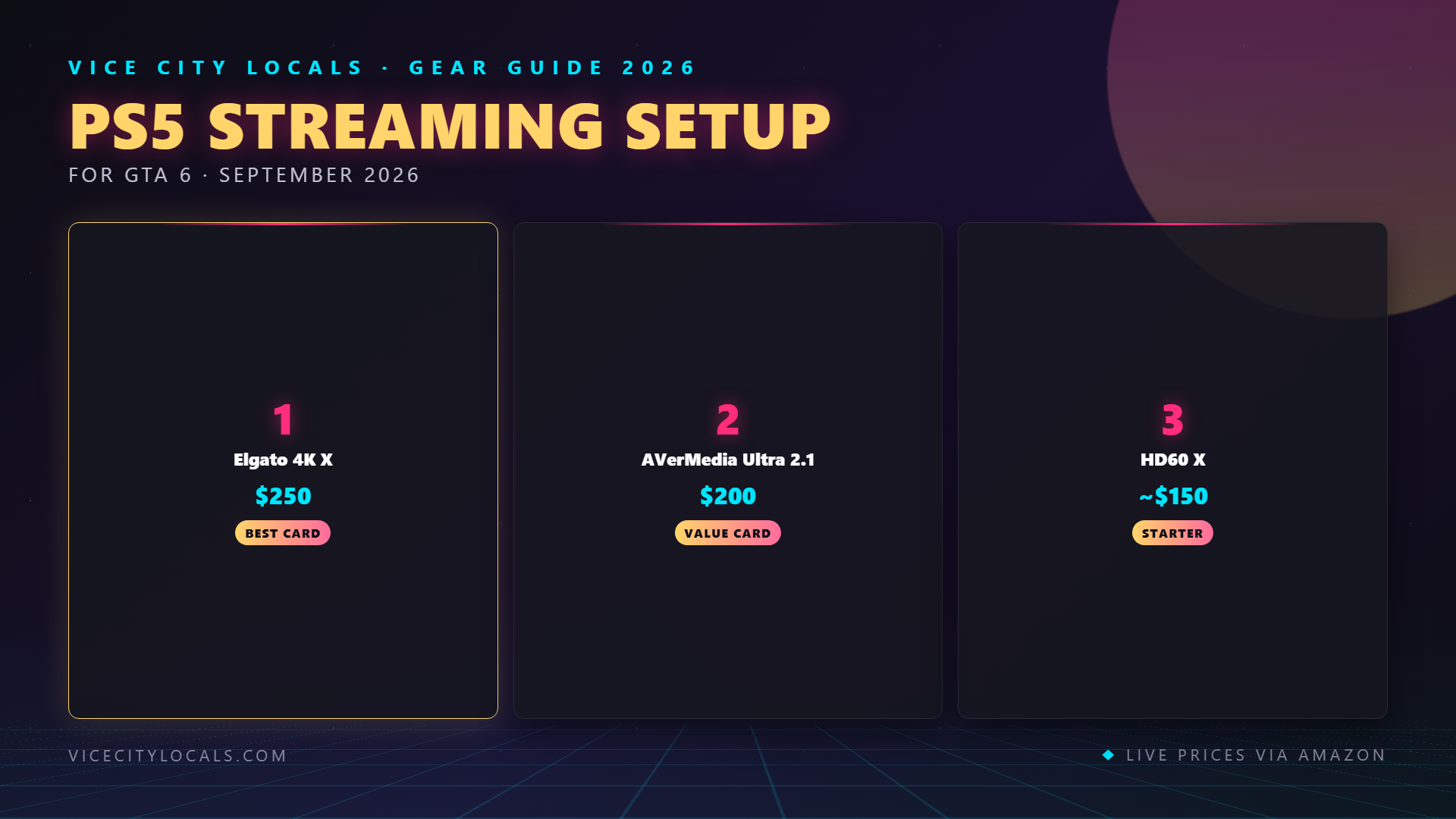
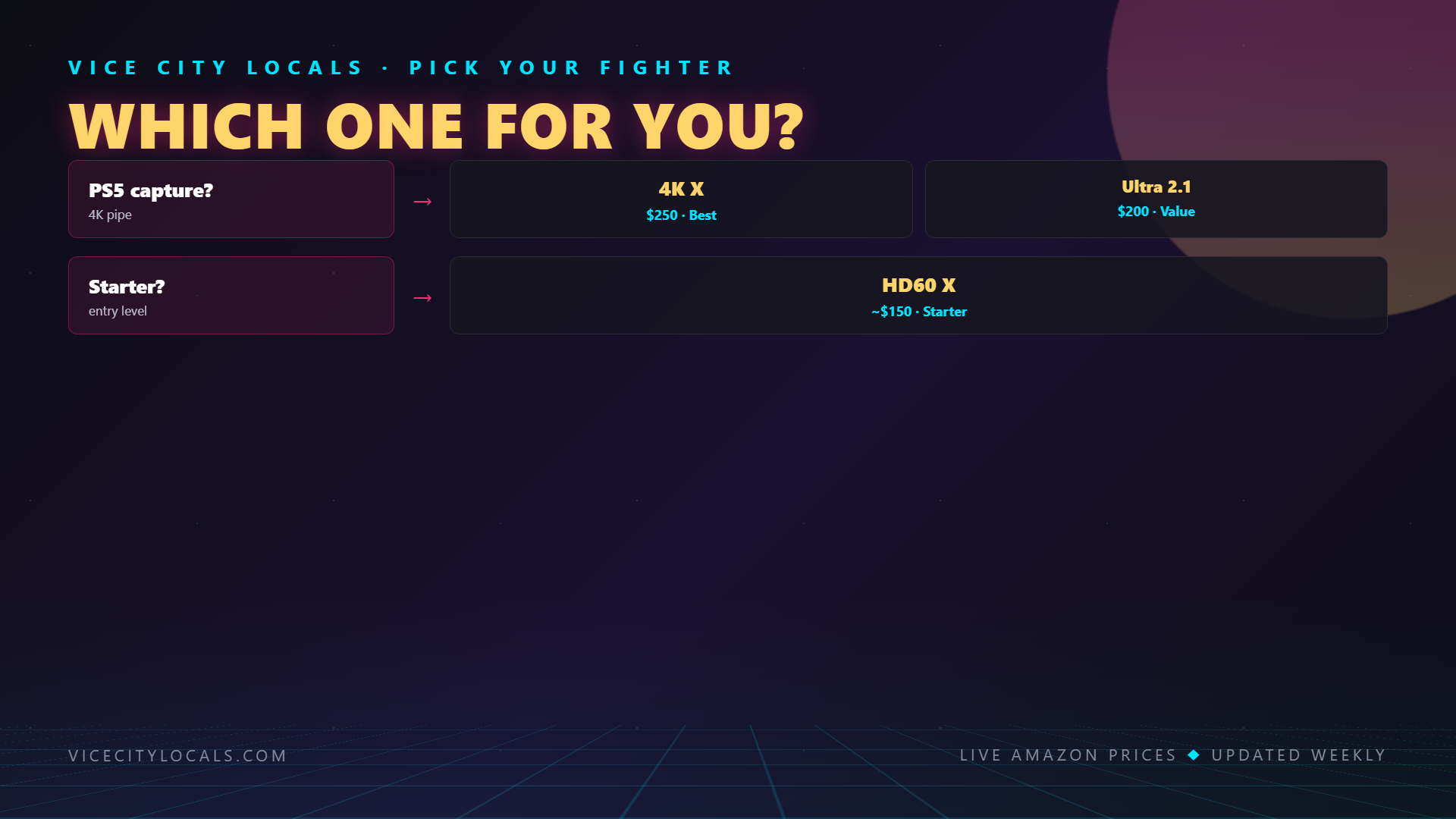
🏆 Best Overall: Elgato 4K X
Even though VRR passthrough isn’t as critical for PS5, the 4K X remains the best all-around capture card for PS5 GTA 6 streamers. HDMI 2.1, 4K144 capture, and HDR10 support make it the most future-proof option.

💰 Best Value: AVerMedia Live Gamer Ultra S
At ~$140, the Live Gamer Ultra S offers 4K capture at a lower price than the Elgato 4K X. For PS5 streamers who don’t need VRR passthrough (most of you), this is an excellent budget 4K option.

🎯 Best Entry Point: Elgato HD60 X
If you’re streaming at 1080p60 (the Twitch standard) and want the simplest, most reliable setup, the HD60 X is plug-and-play perfection. ~$150 gets you clean 1080p60 capture with HDR passthrough.

The DualSense Mic vs a Dedicated Microphone
The PS5’s DualSense controller has a built-in microphone. It’s a neat feature for quick party chat, but let’s address the elephant in the room:
The DualSense mic is NOT suitable for streaming.
Here’s why: – It picks up controller button clicks, stick movement, and vibrations – Audio quality is tinny and compressed – It captures room echo – There’s no gain control or noise gate – Every time you set the controller down, it picks up desk noise
What You Should Use Instead
Connect a dedicated microphone to your streaming PC (the PC running OBS with your capture card). Here are our PS5 streamer picks:
| Mic | Type | Price | Best For |
|---|---|---|---|
| HyperX SoloCast | USB | ~$40 | Budget starters |
| HyperX QuadCast 2 S | USB | ~$120 | Mid-range with style |
| FIFINE AM8 | USB/XLR | ~$55 | Budget hybrid |
| Shure MV7+ | USB/XLR | ~$280 | Professional quality |
Complete PS5 GTA 6 Streaming Setup
Here’s the full gear chain for a PS5 streamer:
| Component | Product | Price |
|---|---|---|
| Capture Card | Elgato 4K X | ~$209 |
| Microphone | Shure MV7+ | ~$280 |
| Webcam | Elgato Facecam | ~$130 |
| Lighting | Elgato Key Light Air (×1–2) | ~$130 each |
| Stream Deck | Elgato Stream Deck MK.2 | ~$130 |
| HDMI 2.1 Cable | (Premium certified) | ~$15 |
Connection chain: PS5 → HDMI 2.1 cable → Capture Card → USB to streaming PC → OBS → Twitch/YouTube. TV connects to capture card’s HDMI out.
PS5-Specific OBS Settings for GTA 6
| Setting | Value |
|---|---|
| Capture Mode | HDMI Capture (via your card) |
| Resolution | 1080p (downscale from 4K if needed) |
| FPS | 60 |
| Color Space | 709 |
| Color Range | Limited |
| Video Bitrate | 6000 kbps (Twitch) |
| Audio Bitrate | 160 kbps |
| Encoder | x264 or NVENC |
PS5 Settings to check: Settings → Screen and Video → Video Output: – Resolution: Automatic (let PS5 detect your TV) – HDR: On (capture card passes it through) – VRR: On if using 4K X, Off if using other cards (to be safe) – 4K Video Transfer Rate: Auto
FAQ
Does PS5 need a capture card to stream GTA 6? Not strictly — you can use the built-in Twitch/YouTube broadcast feature. But without a capture card, you lose overlays, alerts, scene switching, and quality control. For serious streaming, a capture card is essential.
Can I capture PS5’s HDR signal? Most capture cards pass HDR through to your TV but capture in SDR for the stream. This is normal and fine — live HDR streaming is still niche on Twitch/YouTube. Every card we recommend handles HDR passthrough correctly.
Why doesn’t VRR passthrough matter as much for PS5 as Xbox? PS5’s VRR implementation is more stable than Xbox’s FreeSync-based system, and PS5 frame pacing is generally more consistent. Many PS5 streamers simply disable VRR when using non-VRR capture cards with minimal issues. The Elgato 4K X still supports PS5 VRR if you want to keep it enabled.
Can I use my PlayStation Camera or HD Camera for streaming? You can, but the PS5 HD Camera is low quality (1080p, poor low-light performance). We strongly recommend the Elgato Facecam connected to your streaming PC instead.
Should I use Party Chat or Discord for co-stream audio? If you’re co-streaming GTA 6 with friends, Discord on your streaming PC gives you much more control over audio routing in OBS. PS5 Party Chat can be captured but it’s fiddly and lower quality.
Final Thoughts
PS5 streamers have it slightly easier than Xbox streamers when it comes to capture card requirements — but that doesn’t mean you should cut corners. GTA 6’s Vice City is going to be one of the most visually stunning open worlds ever rendered, and your stream should do it justice. Invest in a solid capture card, ditch the DualSense mic, and get your OBS scene collection built before launch day.
Build your PS5 GTA 6 stream here:
- 🎮 Elgato 4K X Capture Card
- 🎙️ Shure MV7+ Microphone
- 📷 Elgato Facecam
- 💡 Elgato Key Light Air
- ⌨️ Elgato Stream Deck MK.2
November 19, 2026 is coming fast. Get your setup locked in and ready to roll when Vice City opens its doors. 🌴
Related GTA 6 Guides
- Best GTA 6 Streaming Setup Overall
- Best Capture Cards for GTA 6
- Best GTA 6 Controllers for PS5
- Best Headphones for GTA 6 PS5
- Best GTA 6 Setup for PS5 — Complete
Want GTA 6 news the second it drops? Join the Locals — our free newsletter. No spam, unsubscribe anytime.