Disclosure: As an Amazon Associate, vicecitylocals.com earns from qualifying purchases. This does not affect the price you pay.
Best Capture Cards for GTA 6 Streaming — 2026
Last Updated: September 2026
If you’re streaming GTA 6 from a PS5 or Xbox Series X|S, the capture card is the beating heart of your entire setup. It’s the device that takes your console’s gorgeous HDMI output and feeds it into OBS on your PC. A bad capture card means dropped frames, audio desync, visual artifacts, and latency that makes your game feel awful on your TV. A good capture card is invisible — you forget it’s there.
This is our deep-dive comparison of every capture card that matters for GTA 6 streaming in 2026. No fluff, no gear you don’t need — just the specs, the trade-offs, and honest recommendations for each one.
Why Your Capture Card Choice Matters for GTA 6
GTA 6 is going to be a technically demanding game. The PS5 and Xbox Series X will push high-resolution textures, dense crowds, dynamic lighting, and massive draw distances across Vice City’s open world. Your capture card needs to handle that signal without choking.
Here are the three things that can go wrong with a bad capture card:
- Passthrough latency — The signal going to your TV is delayed, making the game feel laggy. This is unacceptable for a fast-paced game like GTA 6.
- VRR incompatibility — If you use VRR (Variable Refresh Rate) and your card doesn’t support passthrough, you get screen flicker and frame drops.
- Resolution capping — Your card can’t handle the resolution or frame rate your console outputs, forcing you to downgrade your gaming experience just to stream.
The right card eliminates all three problems.
The Contenders: Head-to-Head Comparison


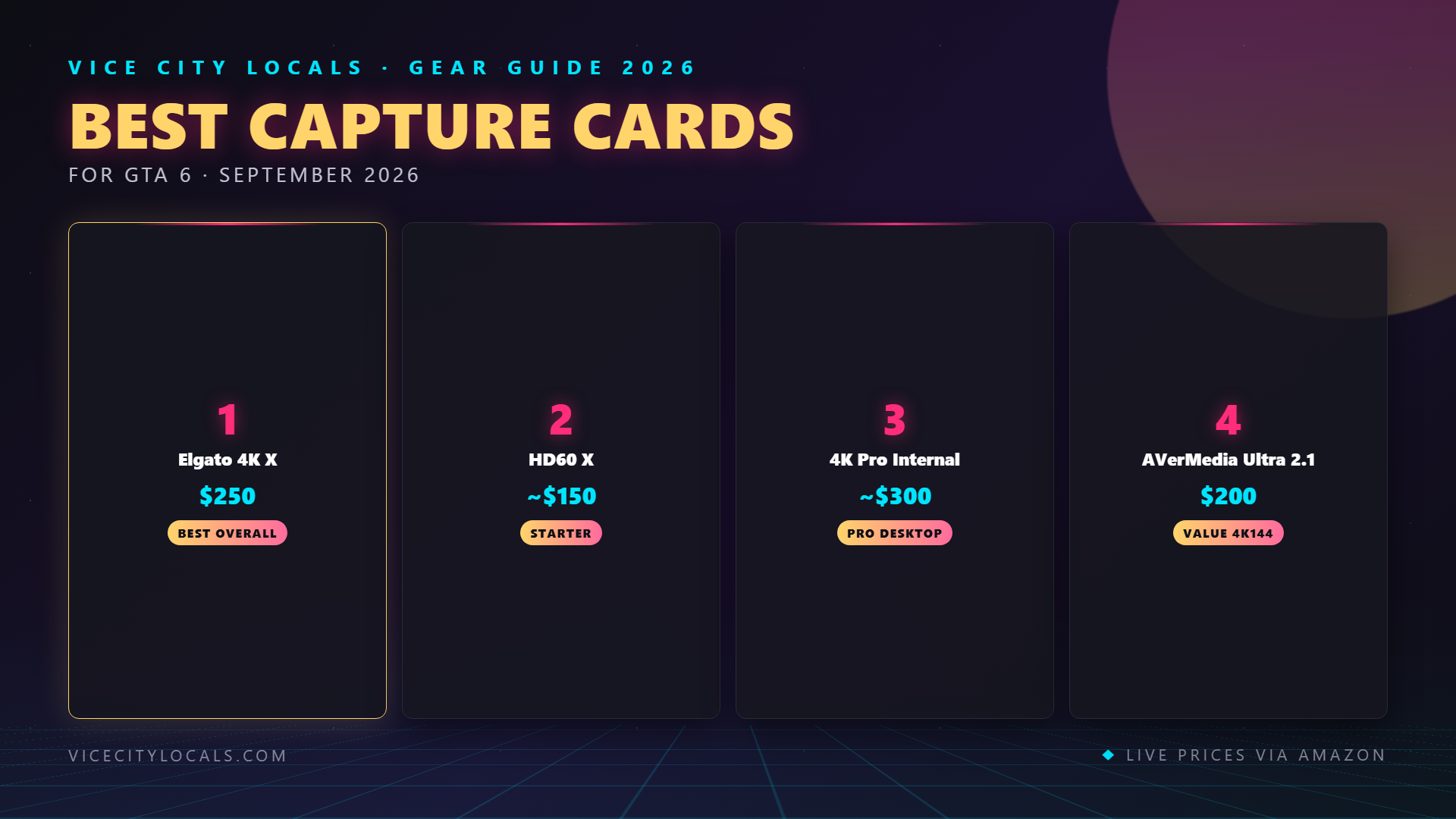
1. Elgato 4K X — The Complete Package
Full Specs:
- Capture resolution: Up to 4K144 (3840×2160 at 144fps)
- Passthrough resolution: Up to 4K144
- VRR passthrough: ✅ Yes (only card in this lineup with it)
- HDMI: 2.1
- HDR: HDR10 passthrough and capture
- Connection: USB 3.2 Type-C
- Latency: Near-zero passthrough
- Price: ~$209
Who It’s For:
This is the card we recommend to the majority of serious GTA 6 console streamers. If you’re on Xbox and use VRR, it’s literally the only viable option. If you’re on PS5 and want the best possible capture quality at 4K, it’s the top performer.
The Good:
- HDMI 2.1 means full 4K120/144Hz passthrough — your gaming experience is completely unaffected
- VRR passthrough works flawlessly with both Xbox FreeSync and PS5 VRR
- USB 3.2 connection means no opening your PC case — plug and play
- HDR10 handled properly on both passthrough and capture
- Elgato’s OBS integration is seamless and well-documented
The Trade-Offs:
- More expensive than the HD60 X ($59 more)
- Requires a USB 3.2 port on your streaming PC (not all older machines have one)
- Slightly bulkier than the HD60 X
Verdict: ⭐⭐⭐⭐⭐ (9.5/10)
The 4K X is the gold standard for GTA 6 console streaming in 2026. Unless you have a very specific reason to choose another card, this is the one.
2. Elgato HD60 X — The Reliable Workhorse
Full Specs:
- Capture resolution: 1080p60
- Passthrough resolution: 1080p60
- VRR passthrough: ❌ No
- HDMI: 2.0
- HDR: HDR10 passthrough (SDR capture)
- Connection: USB 3.0
- Latency: Near-zero passthrough
- Price: ~$150
Who It’s For:
Budget-conscious streamers who are streaming at 1080p60 and don’t need 4K capture or VRR passthrough. If you’re on PS5 (where VRR matters less) and stream at the Twitch standard of 1080p, this card does everything you need.
The Good:
- Reliable, mature product with extensive community support
- 1080p60 capture is clean and consistent
- HDR passthrough means your TV still gets HDR even though your stream is SDR
- USB 3.0 works with virtually any PC
- Compact and portable — great for laptop streamers
The Trade-Offs:
- No 4K capture — you’re limited to 1080p
- No VRR passthrough — Xbox users must disable VRR
- HDMI 2.0 caps passthrough at 4K60, no 4K120 support
- Can’t future-proof: if you upgrade to 4K streaming later, you’ll need a new card
Verdict: ⭐⭐⭐⭐ (8/10)
A fantastic entry-level card that punches above its weight. Just know its limitations going in.
3. Elgato 4K Pro — The Internal Powerhouse
Full Specs:
- Capture resolution: 4K60
- Passthrough resolution: Up to 8K60
- VRR passthrough: ❌ No
- HDMI: 2.1
- HDR: HDR10
- Connection: PCIe (internal — requires a desktop PC)
- Latency: Lowest possible (direct motherboard connection)
- Price: ~$270
Who It’s For:
Desktop PC owners who want the absolute lowest capture latency and don’t need VRR passthrough. Ideal for streamers who also want to use the card for capturing footage for YouTube videos and montages.
The Good:
- PCIe connection means the lowest possible latency — no USB overhead
- 8K60 passthrough is absurd overkill (in a good way)
- 4K60 capture is excellent for high-quality YouTube content
- HDMI 2.1 throughout
- Built-in HEVC encoding support
The Trade-Offs:
- Requires a desktop PC with a free PCIe slot — not compatible with laptops
- No VRR passthrough — same limitation as the HD60 X
- Most expensive option at ~$270
- Installation requires opening your PC case
- Overkill if you’re only live-streaming at 1080p
Verdict: ⭐⭐⭐⭐ (7.5/10)
Incredible specs, but the PCIe requirement and lack of VRR passthrough make it a niche choice. Get this only if you have a desktop, don’t use VRR, and want premium capture quality.
4. AVerMedia Live Gamer Ultra S — The Budget 4K Option
Full Specs:
- Capture resolution: 4K
- Passthrough resolution: 4K
- VRR passthrough: ❌ No
- HDMI: 2.0
- HDR: HDR10
- Connection: USB
- Latency: Low (USB-based)
- Price: ~$140
Who It’s For:
Streamers who want 4K capture on a budget. The cheapest 4K capture card worth buying, and a particularly smart pick for PS5 streamers who don’t need VRR passthrough.
The Good:
- 4K capture at the lowest price point in this lineup
- USB connection means easy setup — no internal installation
- Decent OBS compatibility
- Good value for money
The Trade-Offs:
- HDMI 2.0 limits you to 4K60 (no 4K120 passthrough)
- No VRR passthrough
- AVerMedia’s software ecosystem is less polished than Elgato’s
- Community support and troubleshooting resources are thinner
- Build quality feels slightly less premium than Elgato
Verdict: ⭐⭐⭐⭐ (7.5/10)
Best bang-for-buck 4K capture card. If budget is your primary concern and you want 4K, this is the pick.
USB vs PCIe: Which Connection Type Is Right for You?
This is one of the most common questions we get. Here’s a simple breakdown:
| Factor | USB Capture Cards | PCIe Capture Cards |
|---|---|---|
| Setup | Plug and play | Requires opening PC case |
| Compatibility | Works with laptops & desktops | Desktop only |
| Latency | Very low (negligible for streaming) | Lowest possible |
| Portability | ✅ Move between PCs easily | ❌ Fixed in one machine |
| Future-Proofing | Easy to swap/upgrade | Requires reinstall |
| Price | Generally cheaper | Generally more expensive |
For 95% of GTA 6 streamers, USB is the right choice. The latency difference between USB 3.2 and PCIe is measurable in microseconds — completely imperceptible for live streaming. Only choose PCIe if you need the absolute lowest latency for competitive capture or you’re doing high-bitrate recording for edited content.
What Specs Actually Matter for GTA 6?
Here’s our priority ranking of capture card specs for GTA 6 streaming:
Passthrough latency — Must be near-zero. If there’s noticeable delay to your TV, the game feels unplayable. All four cards above pass this test.
VRR passthrough (Xbox only) — Critical for Xbox, nice-to-have for PS5. Only the Elgato 4K X has it.
Passthrough resolution — Must match or exceed your console’s output. Xbox Series X and PS5 can do 4K60; PS5 Pro can potentially do more.
HDMI version — HDMI 2.1 is needed for 4K120 passthrough. HDMI 2.0 caps at 4K60.
Capture resolution — 1080p60 is sufficient for Twitch. 4K capture is better for YouTube content.
HDR handling — Make sure HDR passes through to your TV even if your stream is SDR.
Buying Guide: Which Card Should You Buy?
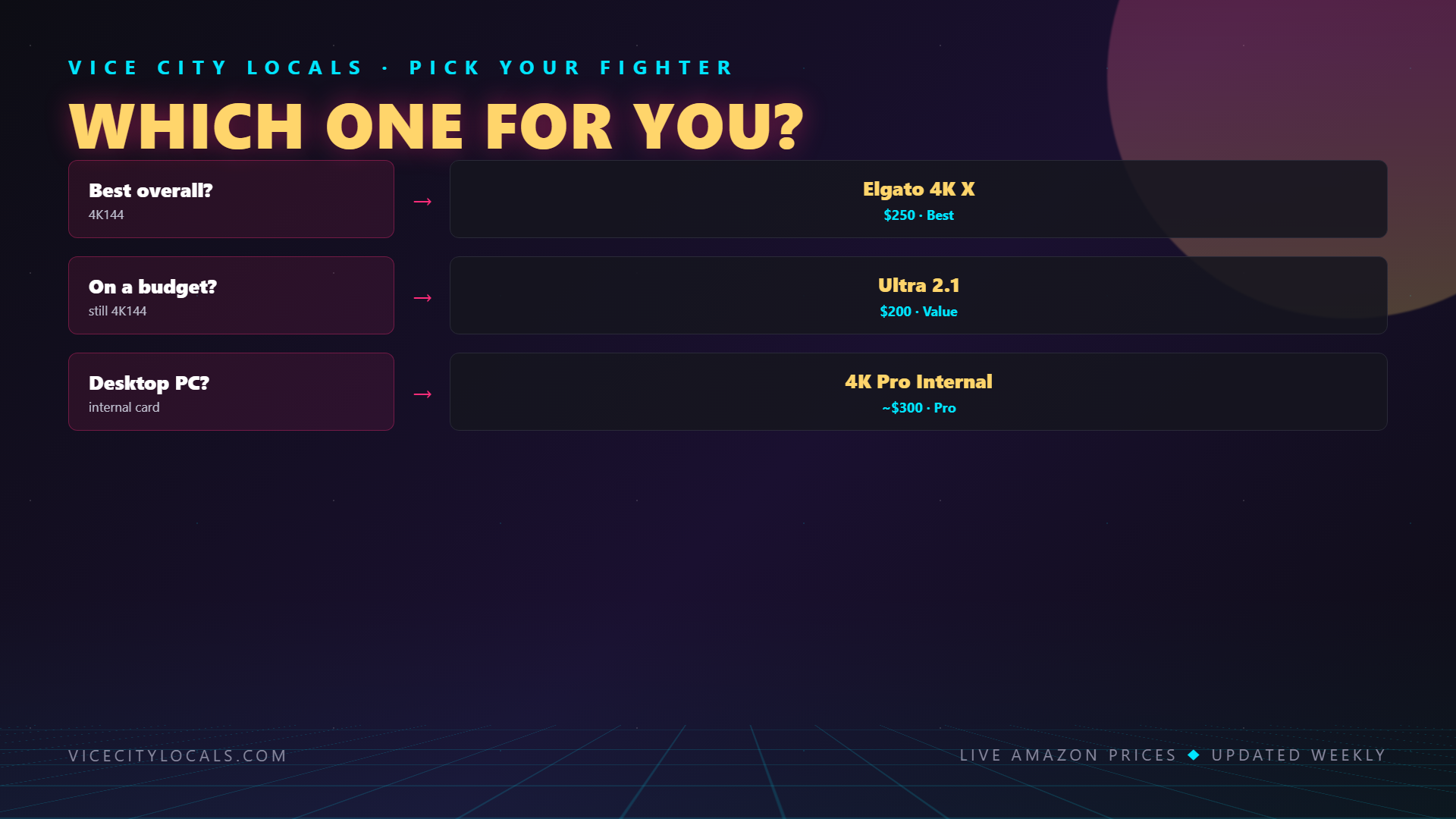
| Your Situation | Recommended Card |
|---|---|
| Xbox with VRR enabled | Elgato 4K X (only VRR option) |
| PS5 streamer, want best quality | Elgato 4K X |
| Budget 1080p streamer (any console) | Elgato HD60 X |
| Budget 4K streamer (PS5) | AVerMedia Live Gamer Ultra S |
| Desktop user, want lowest latency | Elgato 4K Pro |
| Laptop streamer | Elgato 4K X or HD60 X |
| Want one card for streaming AND YouTube capture | Elgato 4K Pro |
FAQ
Do I need a capture card if I’m streaming GTA 6 on PC? No. PC streamers capture gameplay directly through OBS using game capture or display capture. Capture cards are only needed for external HDMI sources like consoles.
What HDMI cable should I use with my capture card? Use a premium certified HDMI 2.1 cable for the Elgato 4K X or 4K Pro. For the HD60 X and AVerMedia Ultra S, a standard high-speed HDMI 2.0 cable works fine. Don’t cheap out on cables — a bad cable causes signal drops that look like capture card faults.
Can I use two capture cards at once for co-streaming? Yes, OBS supports multiple capture devices. If you and a friend are both streaming GTA 6 from separate consoles to one OBS instance, you can use two capture cards. Most PCs can handle this without issue.
Will a capture card add input lag to my game? Not with any of the cards we recommend. All four feature near-zero passthrough latency, meaning the signal going to your TV is essentially real-time. The capture happens on a separate processing path.
Can I stream in 4K with these cards? You can capture in 4K with the 4K X, 4K Pro, and AVerMedia Ultra S. However, live streaming in 4K requires enormous upload bandwidth (20+ Mbps) and most platforms cap live stream resolution. Most 4K-capable streamers capture in 4K, downscale to 1080p for the live stream, and use the 4K footage for YouTube highlights.
Final Thoughts
Your capture card is the foundation of your console streaming setup. It’s the one component where cutting corners will visibly degrade your stream quality and potentially ruin your gaming experience. Spend wisely here — the Elgato 4K X at ~$209 is our recommendation for the vast majority of GTA 6 streamers because it’s the only card that checks every box.
Pick your capture card:
- 🥇 Elgato 4K X — Best Overall
- 🥈 Elgato HD60 X — Best Budget 1080p
- 🥉 Elgato 4K Pro — Best PCIe
- 💰 AVerMedia Live Gamer Ultra S — Best Budget 4K
Get your card before November 19, 2026 — because when GTA 6 drops, every minute you spend troubleshooting capture issues is a minute of stream time you’ll never get back. 🎮
Related GTA 6 Guides
- Best GTA 6 Streaming Setup Overall
- Best Streaming Setup for Xbox
- Best Streaming Setup for PS5
- Best Gaming Monitor for GTA 6
Want GTA 6 news the second it drops? Join the Locals — our free newsletter. No spam, unsubscribe anytime.