Disclosure: As an Amazon Associate, vicecitylocals.com earns from qualifying purchases. This does not affect the price you pay.
Best Microphones for GTA 6 Streaming — 2026
Last Updated: September 2026
If you take away one thing from this entire article, let it be this: viewers will forgive bad video. They will not forgive bad audio. Study after study on streaming viewer retention shows the same result — people leave streams with poor audio quality within minutes, even if the gameplay and video are perfect.
GTA 6 streaming presents a unique audio challenge. You’re talking for hours at a time, getting excited during police chases, going quiet during stealth missions, and dealing with in-game audio bleeding through your speakers. Your microphone needs to handle all of that while sounding clean, clear, and professional.
This is our complete guide to the best microphones for GTA 6 streaming in 2026 — covering USB mics, hybrid USB/XLR mics, the USB-vs-XLR debate, and practical tips for keeping background noise out of your stream.
USB vs XLR: The Two Paths Explained
Before we get into specific microphone recommendations, you need to understand the two connection types. This determines not just which mic you buy, but your entire audio chain.
USB Microphones
USB mics are plug-and-play. You connect them directly to your PC via USB and they show up as an audio input in OBS. No additional hardware needed.
| Pros | Cons |
|---|---|
| Plug and play — zero setup complexity | Quality ceiling is lower than XLR |
| No extra hardware (no audio interface needed) | Limited upgrade path — the mic IS the whole chain |
| Generally more affordable | Fewer controls for fine-tuning audio |
| Portable — works with any PC/laptop | Built-in preamps are basic |
Best for: New streamers, budget-conscious setups, streamers who want simplicity.
XLR Microphones
XLR mics use the standard 3-pin XLR cable and require a separate audio interface (like a Focusrite Scarlett, GoXLR, or similar) to connect to your PC. The audio interface provides a preamp (to boost the mic signal), phantom power (for condenser mics), and gain control.
| Pros | Cons |
|---|---|
| Higher quality ceiling | Requires a separate audio interface ($100–$300+) |
| Full control over gain, EQ, processing | More complex setup |
| Upgrade individual components over time | More cables and gear on your desk |
| Professional broadcast standard | Higher total cost |
Best for: Serious streamers, those building toward professional quality, anyone who already owns or plans to buy an audio interface.
The Hybrid Solution: USB/XLR Microphones
Some microphones offer both USB and XLR connections. You can start by plugging them in via USB (no interface needed) and upgrade to an XLR chain later when you’re ready to invest in an audio interface. This is the smartest investment path for growing streamers.
The Microphones: Ranked and Reviewed
Category 1: Budget USB Microphones
🏆 HyperX SoloCast — Best Budget Pick

| Spec | Details |
|---|---|
| Type | USB Condenser |
| Polar Pattern | Cardioid |
| Sample Rate | 48kHz/16-bit |
| Special Features | Tap-to-mute sensor |
| Mounting | Included desk stand + boom mount compatible |
| Price | ~$40 |
The SoloCast punches wildly above its price tag. For $40, you get a cardioid condenser mic that sounds cleaner than many $100+ options. The tap-to-mute sensor on top is incredibly useful — one tap silences you instantly during a stream without fumbling for a button.
Why it works for GTA 6 streaming: Cardioid pattern rejects sound from behind and sides, meaning your keyboard clicks and speaker bleed are minimized. The compact size doesn’t dominate your desk. Pair it with a cheap boom arm and it sounds like a mic that costs three times as much.
Limitations: Fixed cardioid pattern only. No onboard gain control. Basic shock mount — you’ll want a boom arm to isolate it from desk vibrations.
Blue Yeti — The Streaming Classic

| Spec | Details |
|---|---|
| Type | USB Condenser |
| Polar Patterns | 4 (Cardioid, Bidirectional, Omnidirectional, Stereo) |
| Sample Rate | 48kHz/16-bit |
| Special Features | Multiple patterns, onboard gain control, headphone jack |
| Mounting | Desk stand (boom arm compatible) |
| Price | ~$90 |
The Blue Yeti is the most recognizable streaming microphone in the world. You’ve seen it on thousands of streams. It offers four polar patterns, onboard controls, and a built-in headphone jack for zero-latency monitoring.
Why it works for GTA 6 streaming: The multiple patterns are useful if you ever co-stream with someone in the same room (omnidirectional picks up both voices). The onboard gain dial lets you adjust levels without touching OBS.
Limitations: The Yeti picks up EVERYTHING. It’s a sensitive condenser, which means your keyboard, mouse, and game audio from speakers all get captured. You need to be disciplined about mic technique (stay close, speak into the front) and use OBS noise gating. The default desk stand transmits vibrations — get a boom arm.
Category 2: Mid-Range USB Microphones
🏆 HyperX QuadCast 2 S — Best All-Around USB Mic

| Spec | Details |
|---|---|
| Type | USB Condenser |
| Polar Patterns | 4 (Cardioid, Stereo, Omnidirectional, Bidirectional) |
| Sample Rate | 96kHz/24-bit |
| Special Features | RGB lighting, built-in shock mount, tap-to-mute, pop filter |
| Mounting | Shock mount included (boom arm compatible) |
| Price | ~$120 |
The QuadCast 2 S is what happens when you take the Blue Yeti formula and refine every weak point. Built-in shock mount isolates the capsule from desk vibrations. Pop filter reduces plosives (those harsh “P” and “B” sounds). Higher sample rate (96kHz/24-bit) captures more detail. And the RGB lighting looks fantastic on camera.
Why it works for GTA 6 streaming: The built-in shock mount is a game-changer — when you get excited and slam your desk during a GTA 6 moment, viewers won’t hear a thump. The four patterns give you flexibility. The tap-to-mute sensor with visual indicator means you never accidentally leave your mic live.
Limitations: RGB isn’t for everyone (though it can be turned off). Larger footprint than the SoloCast. Still a USB mic, so quality ceiling is lower than XLR options.
Category 3: Hybrid USB/XLR Microphones
💰 FIFINE AM8 — Best Budget Hybrid

| Spec | Details |
|---|---|
| Type | USB / XLR Hybrid (Dynamic) |
| Polar Pattern | Cardioid |
| Special Features | RGB, tap-to-mute, gain knob, both USB and XLR outputs |
| Mounting | Shock mount included, boom arm compatible |
| Price | ~$55 |
The FIFINE AM8 is the best value in streaming microphones, period. For $55, you get a dynamic mic (better background noise rejection than condensers) with both USB and XLR outputs. Start on USB today, upgrade to XLR with an audio interface later — same mic, no reinvestment.
Why it works for GTA 6 streaming: Dynamic capsule means it naturally rejects more room noise and keyboard sounds than condenser mics like the Yeti. This is huge for GTA 6 streamers who have game audio playing through speakers. The dual USB/XLR output means it grows with you.
Limitations: FIFINE’s build quality is good but not premium. The RGB is basic compared to HyperX. Sound quality is very good for $55 but won’t match the Shure MV7+ — it’s ~20% of the Shure’s price for ~80% of the quality, which is an excellent trade-off.
🏆 Shure MV7+ — Best Overall Microphone
| Spec | Details |
|---|---|
| Type | USB / XLR Hybrid (Dynamic) |
| Polar Pattern | Cardioid |
| Sample Rate | 48kHz/24-bit (USB), 48kHz/32-bit float (XLR) |
| Special Features | Auto-leveling DSP, touch panel controls, ShurePlus MOTIV app |
| Mounting | Threaded mount (boom arm recommended) |
| Price | ~$280 |
The Shure MV7+ is the microphone we recommend to streamers who are serious about audio quality. It’s the younger sibling of the legendary SM7B (the $400 broadcast standard used by Joe Rogan, major podcasters, and top streamers). The MV7+ delivers that same broadcast sound with modern features at a lower price point.
Key feature: Auto-leveling. The MV7+ uses DSP (Digital Signal Processing) to automatically adjust your microphone level in real-time. Whisper during a stealth GTA 6 mission? It boosts you. Yell during a police chase? It levels you down. Your volume stays consistent without you thinking about it. This is worth the price of admission alone.
Why it works for GTA 6 streaming: Dynamic capsule rejects background noise like a fortress. Auto-leveling handles the dynamic range of a GTA 6 session (quiet exploration → explosive chaos). USB now, XLR later — this mic will serve you for years across multiple upgrade cycles.
Limitations: At $280, it’s the most expensive mic on this list. The touch panel can be finicky. Requires a boom arm for proper positioning (not included). Worth every penny if audio quality is your priority.
Full Comparison Table
| Mic | Type | Pattern(s) | Price | Best For |
|---|---|---|---|---|
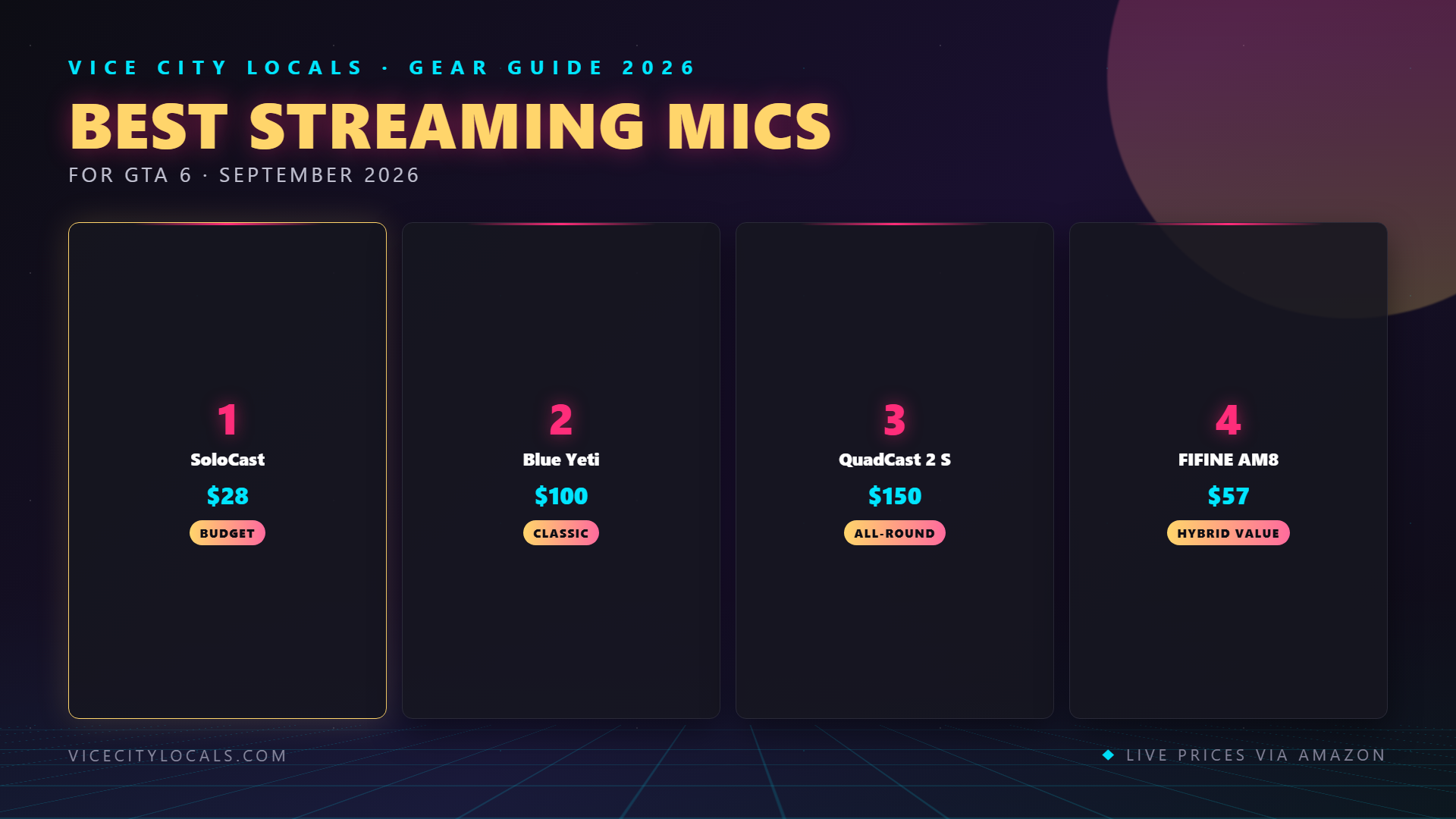
| HyperX SoloCast | USB Condenser | Cardioid | ~$40 | Absolute budget |
| Blue Yeti | USB Condenser | 4 patterns | ~$90 | Versatility, classic choice |
| HyperX QuadCast 2 S | USB Condenser | 4 patterns | ~$120 | Best all-around USB |
| FIFINE AM8 | USB/XLR Dynamic | Cardioid | ~$55 | Best value hybrid |
| Shure MV7+ | USB/XLR Dynamic | Cardioid | ~$280 | Best overall quality |
Which Mic Pairs Best with Your Capture Card Setup?
If you’re a console streamer (PS5/Xbox with a capture card), your microphone connects to your streaming PC — not your console. The capture card handles video; the mic handles audio; OBS combines them. Any USB mic plugs directly into the streaming PC alongside the capture card.
Here’s what we recommend for each streaming path:
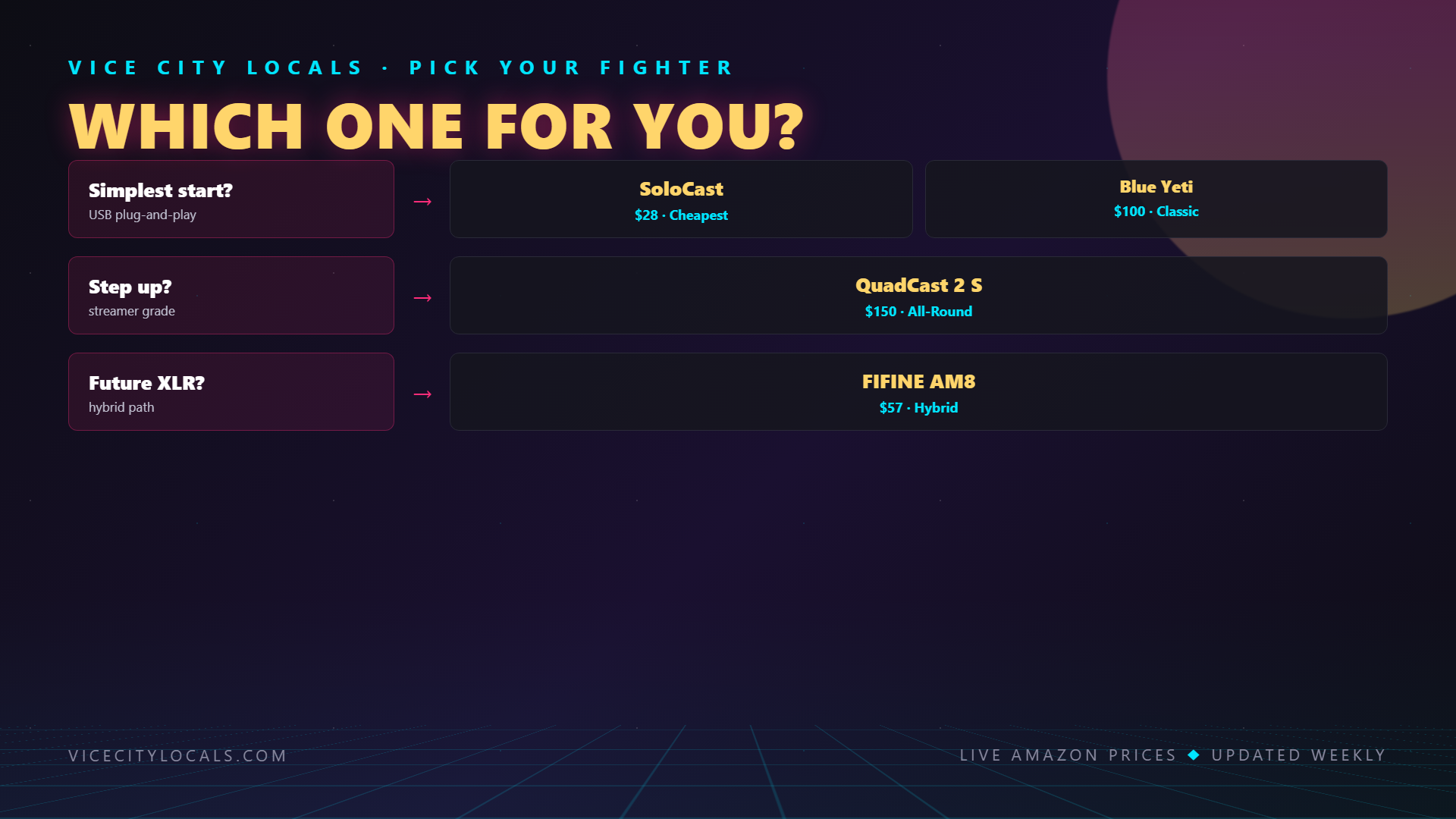
| Streaming Path | Recommended Mic | Why |
|---|---|---|
| Console + budget streaming PC | HyperX SoloCast | Minimal CPU/USB bandwidth impact |
| Console + decent streaming PC | HyperX QuadCast 2 S | Great sound, shock mount handles desk thumps |
| Console + serious setup | Shure MV7+ | Broadcast quality, auto-leveling for long sessions |
| Any setup, tight budget | FIFINE AM8 | Dynamic rejection + hybrid future-proofing for $55 |
| PC streaming | Any of the above | More USB bandwidth available, any mic works |
Important: If your streaming PC has limited USB ports (common with laptops), prioritize USB bandwidth for your capture card first (it needs USB 3.0+), then plug your mic into a USB 2.0 port. Mics use negligible bandwidth.
Tips for Reducing Background Noise
GTA 6 streaming means game audio, keyboard clicking, mouse movement, and potentially Discord calls — all potential noise sources. Here’s how to keep your stream audio clean:
1. Choose a Dynamic Mic Over a Condenser
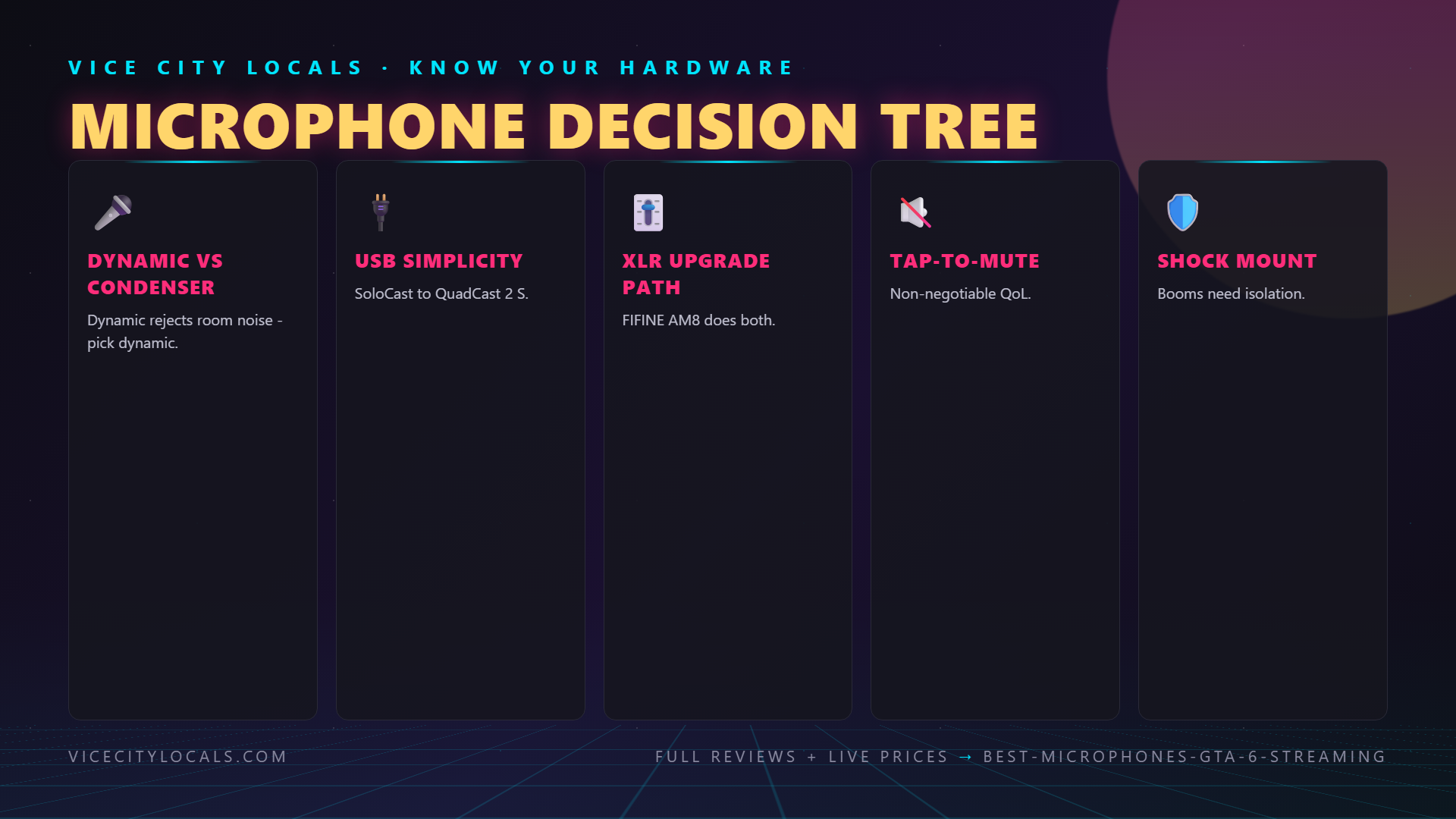
Dynamic mics (FIFINE AM8, Shure MV7+) naturally reject more ambient noise than condenser mics (Blue Yeti, HyperX SoloCast/QuadCast). If background noise is a problem, a dynamic mic is the single biggest improvement you can make.
2. Use OBS Noise Gate
Set a noise gate in OBS filters: – Close threshold: -40dB (anything below this is silenced) – Open threshold: -32dB (your voice opens the gate) – Attack/Release: 10ms / 150ms
This mutes the mic when you’re not speaking, eliminating constant keyboard noise during loading screens.
3. Wear Closed-Back Headphones
If game audio bleeds from your speakers into your mic, switch to closed-back headphones. This eliminates the problem entirely. Your stream audio still captures game sound through OBS’s application audio capture.
4. Use a Boom Arm
A boom arm positions the mic 2–4 inches from your mouth, letting you turn down the gain. Lower gain = less background noise pickup. Every mic on this list is boom-arm compatible.
5. Add OBS RNNoise Filter
OBS includes a free RNNoise filter that uses AI to remove background noise in real-time. Add it as a mic filter — it’s remarkably effective for eliminating keyboard clicks, fan noise, and room echo. Use it alongside (not instead of) a noise gate.
6. Acoustic Treatment (Optional)
If you have a very echoey room, adding some absorption panels behind and beside your streaming position reduces echo significantly. Even a rug and curtains help. You don’t need a fully treated studio — just break up the hard reflective surfaces.
FAQ
Do I need a pop filter? If your mic doesn’t include one (the QuadCast 2 S does, the MV7+ has an internal windscreen), yes. Pop filters reduce plosives — the harsh burst of air on “P” and “B” sounds that causes audio spikes. You can buy one for $10.
Can I use a gaming headset mic for streaming? You can, but it will sound like a gaming headset mic — compressed, tinny, and noticeably worse than even a $40 dedicated mic. We don’t recommend it for anyone serious about streaming.
Should I get a condenser or dynamic mic? If your room is quiet and treated, a condenser (Yeti, SoloCast, QuadCast) captures more detail and warmth. If you have keyboard noise, game audio, or room echo, a dynamic (AM8, MV7+) rejects background noise far better. For most GTA 6 streamers in normal rooms, dynamic is the safer choice.
Is the Shure MV7+ worth $280 over a $55 FIFINE AM8? Objectively, yes — the MV7+ sounds noticeably better, has auto-leveling, and offers superior build quality. But the AM8 gets you 80% of the way there for 20% of the price. If budget is tight, the AM8 is the smarter buy. If you can afford the MV7+, it’s a mic you’ll use for 5+ years.
Do I need an audio interface for the Shure MV7+ or FIFINE AM8? No — both work via USB out of the box. The XLR input is there for when you want to upgrade to a professional audio chain later. You can use these mics for years on USB before ever needing an interface.
How close should I sit to my microphone? For dynamic mics: 2–4 inches (a fist’s width). For condenser mics: 6–8 inches. Closer = better signal-to-noise ratio and less background pickup. Use a boom arm to position correctly without hunching over.
Final Thoughts
Your microphone is the one piece of streaming gear that directly determines whether viewers stay or leave. A $40 HyperX SoloCast sounds infinitely better than a headset mic. A $55 FIFINE AM8 gives you dynamic noise rejection and future-proof hybrid connectivity. And a $280 Shure MV7+ delivers broadcast quality that will make your stream sound like a professional production.
Find your microphone:
- 🎙️ HyperX SoloCast — Budget USB (~$40)
- 🎙️ Blue Yeti — Classic USB (~$90)
- 🎙️ HyperX QuadCast 2 S — Premium USB (~$120)
- 🎙️ FIFINE AM8 — Budget Hybrid (~$55)
- 🎙️ Shure MV7+ — Best Overall (~$280)
Get your audio locked down before November 19, 2026 — because when GTA 6 drops and viewers are channel-surfing between hundreds of streams, the one that sounds the best is the one they’ll stay on. 🎙️
Related GTA 6 Guides
- Best GTA 6 Streaming Setup Overall
- Best Lighting for GTA 6 Streaming
- Best Gaming Headphones for GTA 6
- Best Gaming Soundbar for GTA 6
Want GTA 6 news the second it drops? Join the Locals — our free newsletter. No spam, unsubscribe anytime.